This article is part 1/4 of a series about free plugins and samples to use in REAPER, especially for beginners or people low on budget. Though, plugins showcased here can be used by any kind of user, and in any other DAW which supports VST and VST3 plugin format.
- 🎤 Best Free Audio FX VST Plugins (2026)
- 🎵 Best Free Instruments VST Plugins (2026)
- 🎻 Best Free MIDI FX VST Plugins (2026)
- 💥 Best Free Sounds Effects and Musical Samples (2026)
Introduction
You just installed REAPER, and already you want to push it further. That’s the spirit!
These resources are parts of what I consider downloading on any new REAPER set-up, after evaluation of the user needs. You will surely not have to download all these plugins, especially if you are fine with REAPER native ones. But IMHO, there are some must-haves which could help you a lot in your projects!
So, why a REAPER user would use any external plugins in a first place? Well, for having more tools, and for having better plugins UI.
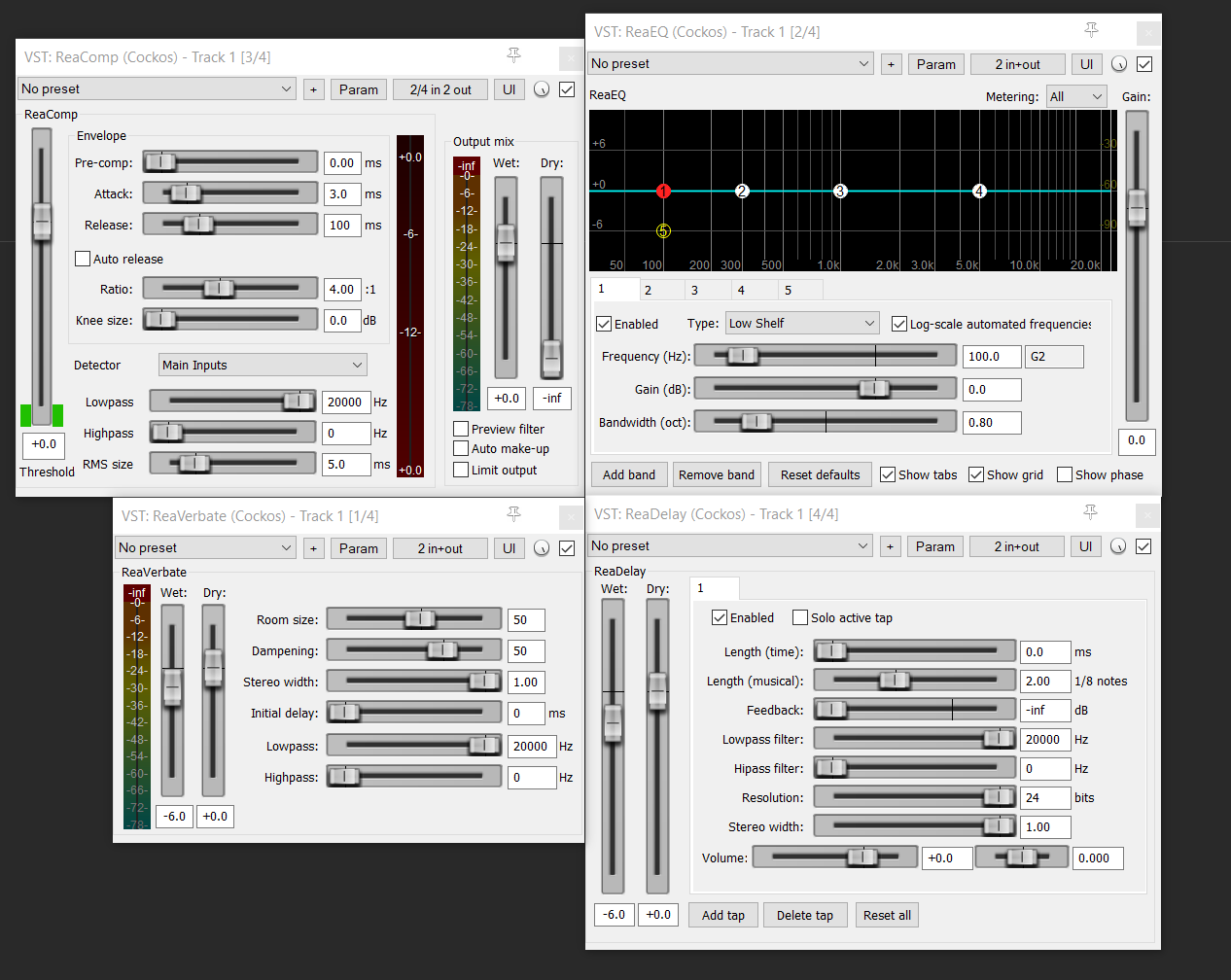
Indeed, most native REAPER audio plugins (ReaEq, ReaComp…) are good enough (in audio quality and UI), especially for usual processing (EQ, compression, Pitch shifters…). Though, REAPER development is focused on the software core and not on native plugins, so they can lack a bit of features, or be a bit hard to operate (especially for native JSFX).
Fortunately, there is a lot of very good modern pro-level-quality free plugins for any kind of purpose. Some are made by big companies as intro offers, some by small independent talented developers who want to show their skills or start their business. In any case and in-between, be sure there is nothing wrong using free plugins, and a lot of them can rival commercial products. Free plugins sharing is core part of computer music culture.
In this first article, I will only select the bests audio plugins in each categories, sometimes even just one plugin, to avoid choice paralysis as much as possible. I’ll do Virtual Instrument in another article. Some categories can benefit from several propositions though, as long as they are not redundant.
So, here is what I evaluated to select a plugin in this list:
- Audio quality (it should sounds good, obviously)
- Usability / UX / Design (priority on those who help to understand audio concepts and ease of operation. Also, I will not select non scalable plugin – accessibility is top importance)
- Ease of installation (the less steps, the better)
- OS compatibility (all plugins selected are cross-platform and use modern formats like VST3 or Clap)
- Maintenance (the plugin is still maintained and the dev is responsive – I will not promote abandonwares)
- Stability (it works as expected, and is not in beta)
- Purpose (some free plugins are awesome in every metrics but way too specific to be listed in a beginner list)
The importance I put on each of these criteria is highly subjective. But that is precisely the point of this article: showcase free plugins I prefer, and which I can consider using in real projects.
Every friction in the install process (the need to give an email, the need to download a downloader first…) or in usage (the need to enter email or license infos within the plugin and not just for the download, the need to deactivate telemetry, the need to see an ads popup…) can be overwhelming, especially for beginners, so I am taking this into account very seriously. Downloaders are not intrinsically bad, as they can allow to download and update several plugins in one shot easily, though not all them are made equal and some are just bad. Plus, it is intimidating, sometimes deal-breaker, to have to create accounts and passwords on several websites, and is just overkill in some cases.
Well, enough introduction, we all know how this kind of article is read: just scroll down, check the plugin UI, and click on whatever seems to be nice to you!
Note: This article isn’t sponsored in anyway by any third-parties, and took days to write. It isn’t generated by a thoughtless IA, but by an actual human, with real experience in sound creation (audio and music) and sound technology. If you want to support my work it will be very appreciated! ❤️
FX Packs
The following resources are plugins packs which give you a lot of FX, from a single installer or downloader.
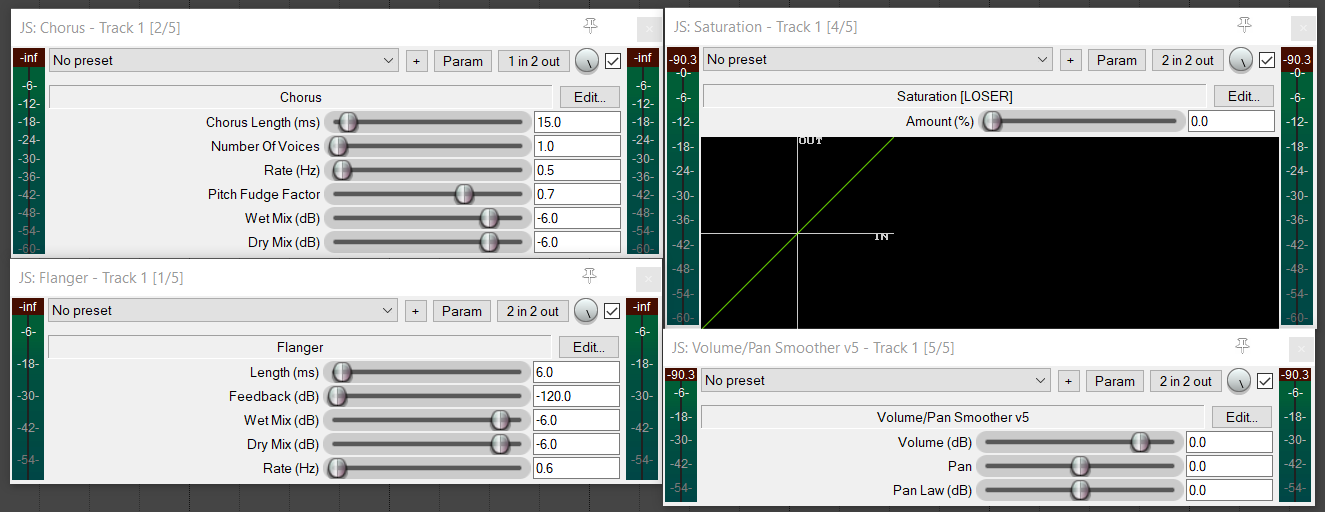
REAPER native plugins: various JSFX plugins and ReaPlugs
Best commercial alternatives
- Fab Filters – Mixing Bundles: The best mixing plugin suite IMHO, with very nice UI and good license system
- Sonible – Studio Bunbdle: Really good sets of mixing plugins, with IA to help decision making
- Sonible – Learn Bundle: A more affordable suite of plugins, meant for beginners, thanks to very nice UI. Too expensive if not on sales IMHO.
Kilohearts – Essential Effects
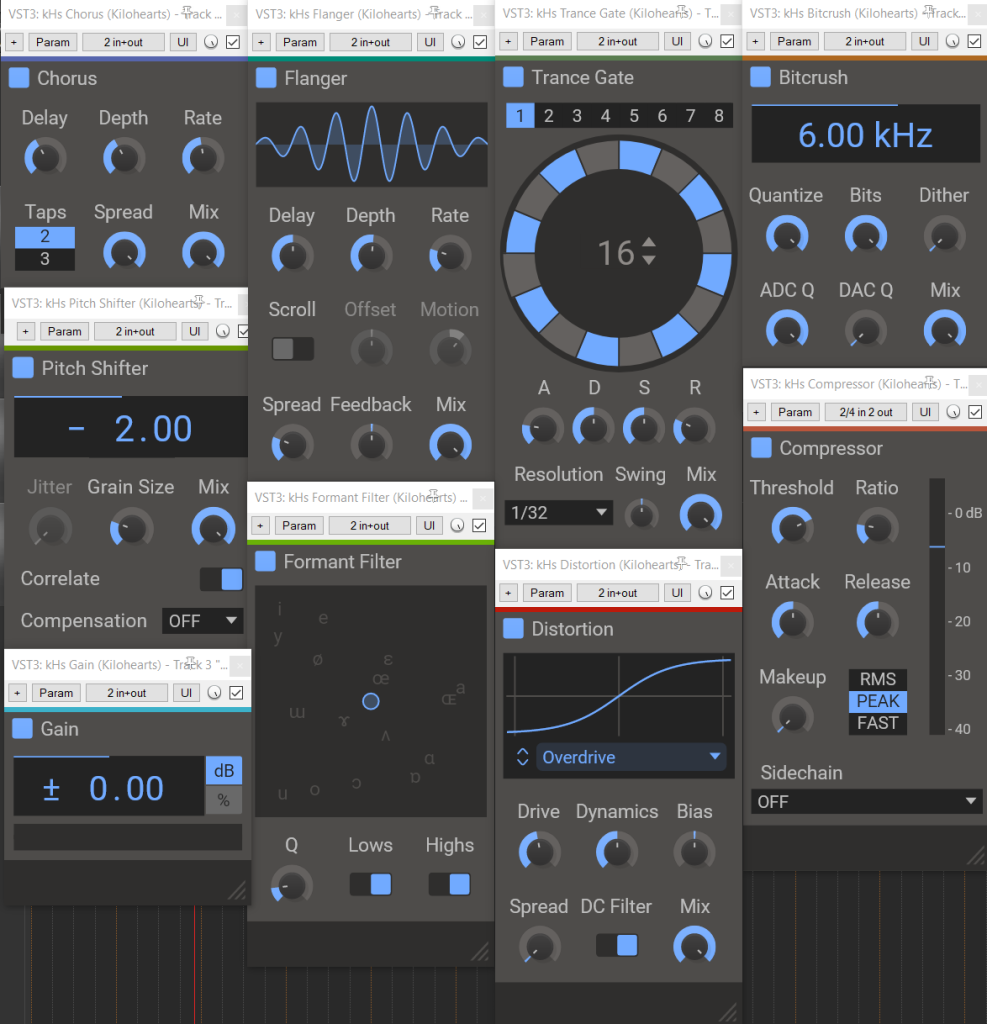
Must-have. This pack features lots of very nice audio plugin utilities, including the best free low latency pitch shifters (kHz Pitch Shifter, very useful for electric guitars), a nice transient shaper (kHz Transient Shaper), some nice filters like the formant filter, a very nice trans gate etc… It is especially easy to use for beginners, and the names are straightforward, making them easy to found in FX list.
Pros:
- 34 FX
- Freely scalable UI
- Clean and readable UI
- Some not very common FX
- Informative toolbar to explain controls
Cons:
- Need User Registration (email)
MeldaProductions – MFreeFXBundle
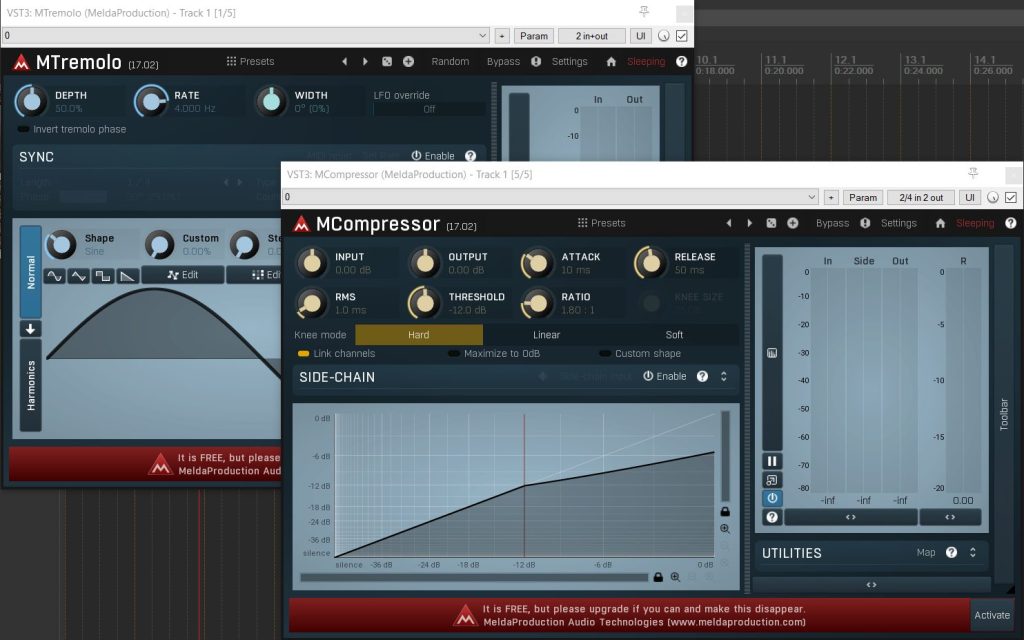
This pack is around since a very long time. Though I would prefer KiloHearts pack (mostly because it is scalable and minimal), this pack feature some good utilities, like the MTremolo, the MStereoScope analyzer, and a free convolution reverb MConvolutionEZ with a lot of presets. As it is extremely simple to install, there is no reason to not give it a try!
Pros:
- 38 FX
- Nice themable UI (you can adjust the color settings and the overall look of the plugins)
- Download in one click (no user registration, no email to give)
- All “Melda Goodies” (can work on Mid-Side, have several slots for comparing different settings, presets etc)
- One-click download
- Presets included
Cons:
- UI feels a bit cluttered on some plugins, especially with the small banner asking to go pro at the bottom of each plugins
Blue Cat Audio – Freeware Plug-Ins Pack 2
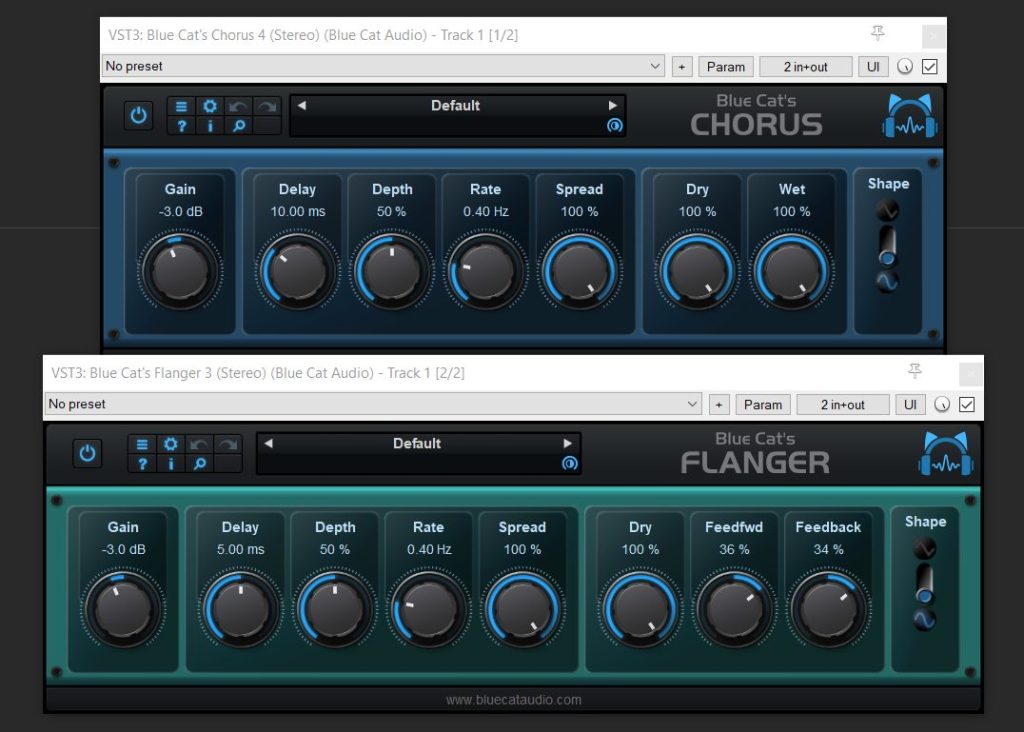
This is a small free FX pack, but it features one of my favorite flanger, a very simple guitar amp simulation (handy for quick prototyping), and a very simple chorus. Not indispensable, but good to have!
Pros:
- Scalable UI
- Simple to use
- 7 FX
- One-click download
- Presets included
Cons:
- Plugins come in multiple versions (mono & stereo) (there is no mono tracks in REAPER, so just stereo is useful)
Native Instruments – Komplete Start
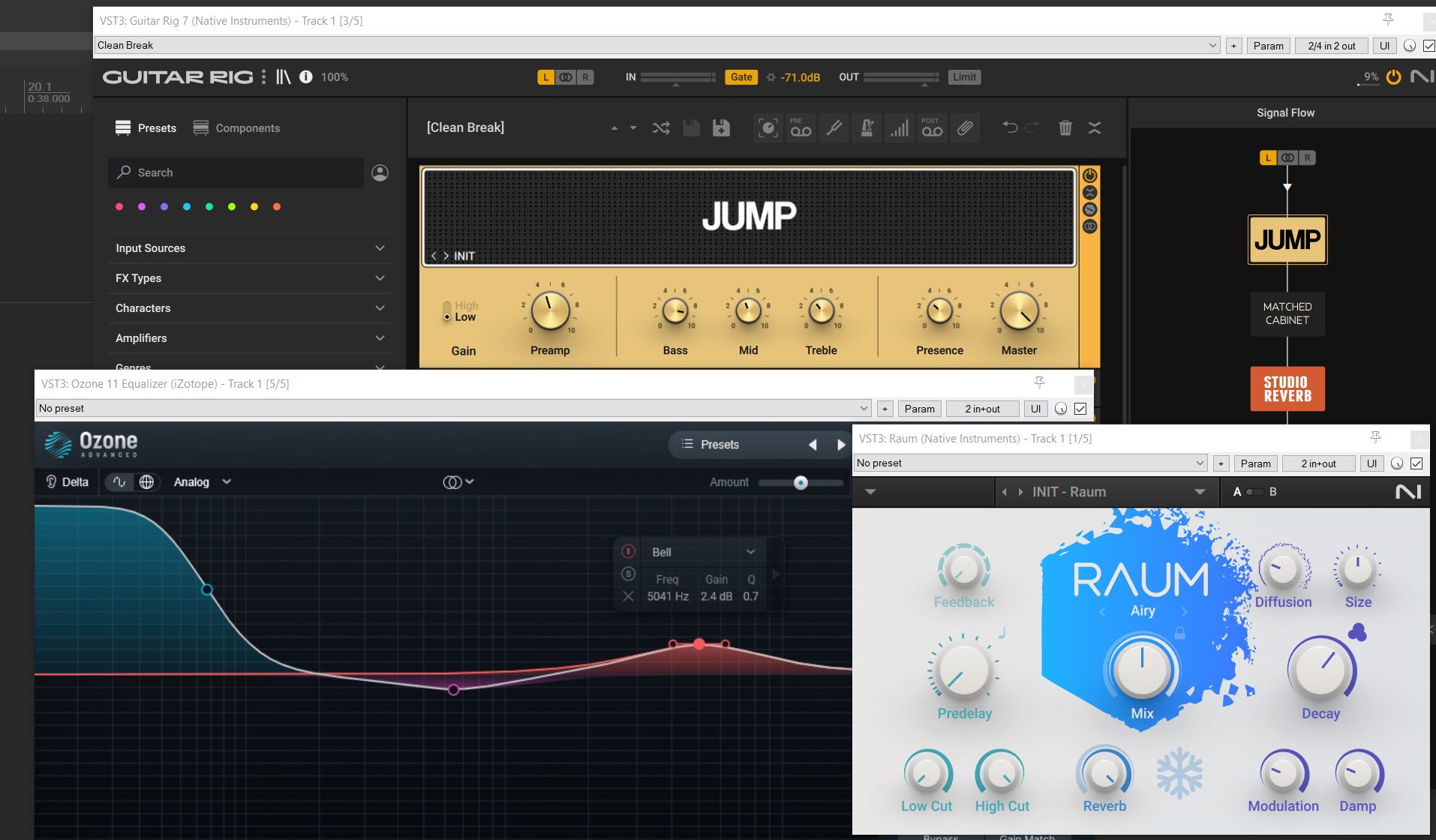
Must-Have. Native Instruments Komplete Start actually contains both FX and Instruments. It features a pretty nice EQ (Ozone Equalizer) which has more feature than REAPER native one and is easier on the eye, a very nice reverb called Raum, and one good Guitar Amp simulator (Guitar Rig) with a tiny but useful selection of presets. Though, it is mostly for the instruments included in this pack that I marked it as a must-have (I will talk about this in the next article of this series).
Because the pack is heavy, it comes with its own downloader, which makes sense, as it makes things easier to update.
Pros:
- 8 FX
- Other nice content in the pack (including the must-have Kontakt Player free instruments)
Cons:
- Plugins are heavy
- Some plugins need lot of CPU for what they do
- Some of this plugins are IMHO not useful, or have too old school UI (and are not really scalable)
- Need user registration to access the custom downloader
Multi-FX
Plugins in this categories embed several effects into one plugin instance, usually to let you able to chain them, run them in parallel, or in multi-band processing. There FX modules are usually less complex than when same-purpose modules are in individual plugin.
Best commercial alternatives
HY-Plugins – HY-MBMFX free
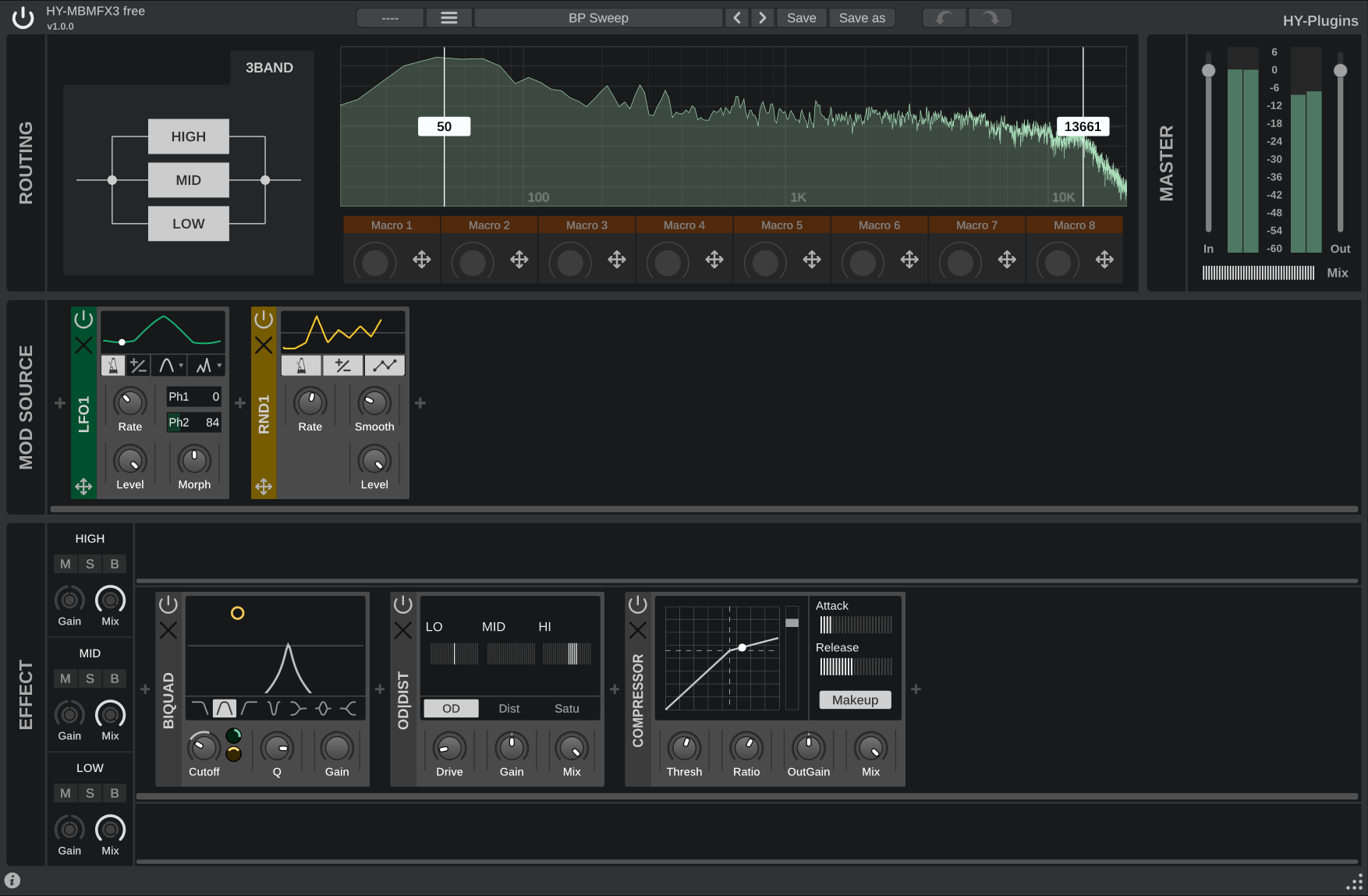
Modular multi-FX with multibands and modulation features.
Pros:
- Freely scalable UI
- One-click download for the installer
- Spectrogram display
- Adjustable multi-bands processing
- Lots of FX modules
- Modulations modules
- Built-in presets
Cons:
- The name is very hard to remember
Equalizers
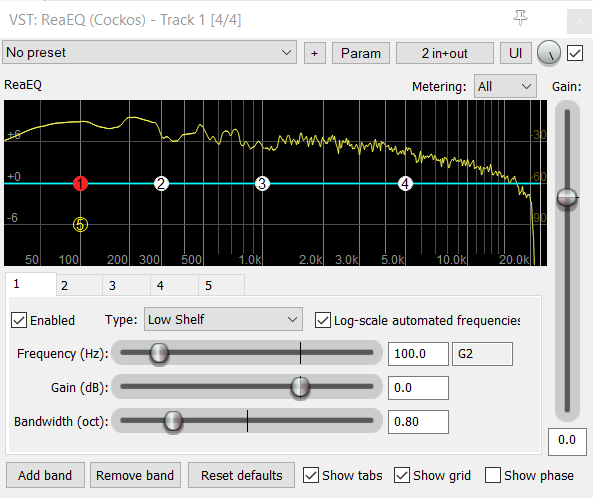
The need for an extra graphical EQ in REAPER isn’t too crticial, as ReaEQ does most of the things right. Though, for people who want a better looking EQ, and some handy extra features, like the ability to solo bands or change filters Q, it can be beneficial to have another one.
REAPER native plugin: ReaEQ
Honorable free alternatives
- Soundly – Shape It: Clean and lightweight good looking parametric EQ which covers all the basics well. It doesn’t need any user registration.
- ZL Audio – Equalizer 2: Pretty new (late 2025) open source EQ plugin, full featured with MID/Side and Dynamic processing. It features a very nice and friendly UI with big elements and stuff, pretty nice for affordability.
Best commercial alternatives
- FabFilter – Pro-Q 4: State of art parametric EQ plugin, with really nice UI
- Sonible – Smart EQ 4: Another top of the game EQ plugin, with IA for analysis
- Tonebooster – Equalizer Pro: Lots of features rarely seen elsewhere, like the Ambiance and Transient / Sustain boost, at a more affordable price
- Three-Body Technolo – Equalizer Pro: Most advanced analog emulation based EQ
Izotope – Ozone 11 Equalizer
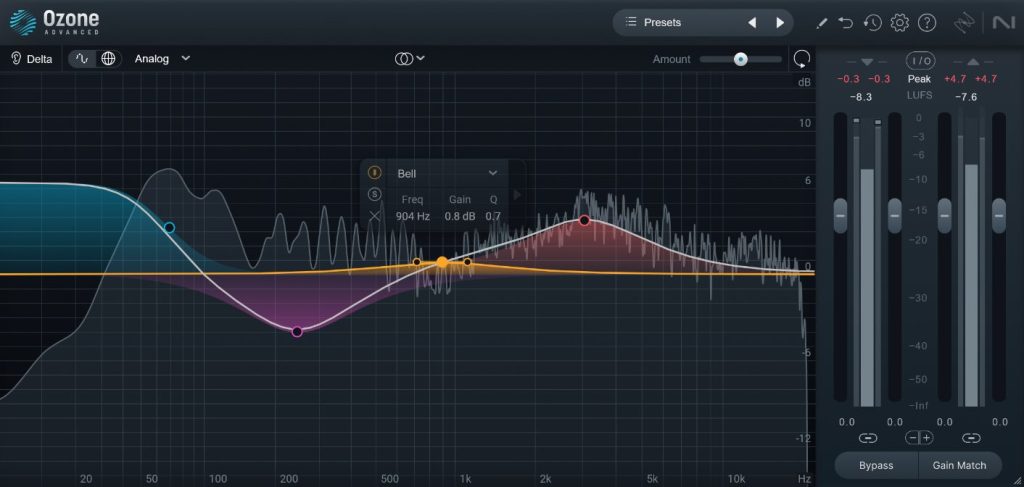
Full featured EQ, part of the Komplete Start pack listed above.
Pros:
- Freely scalable UI
- Clean and readable UI
- Nice adjustable spectrogram
- Several filters shape
- filters have adjustable slopes
- Mid-Side mod
- Transient-Sustain Mod
- Auto-gain compensation
- Solo band feature
Cons:
- Need Native Instrument account and downloader
- Izotope tends to change name of their plugin at each update (every one year or two), simply by changing the number version in the plugin name, without actually changing the plugin under the hood. This means that you then have to keep several versions of your plugins to be able to open old projects. It is annoying, a plugin rename should be done only if backward-compatibility is lost. Though, it is not deal breaker, and they haven’t done that for this plugin (yet).
TDR – Nova
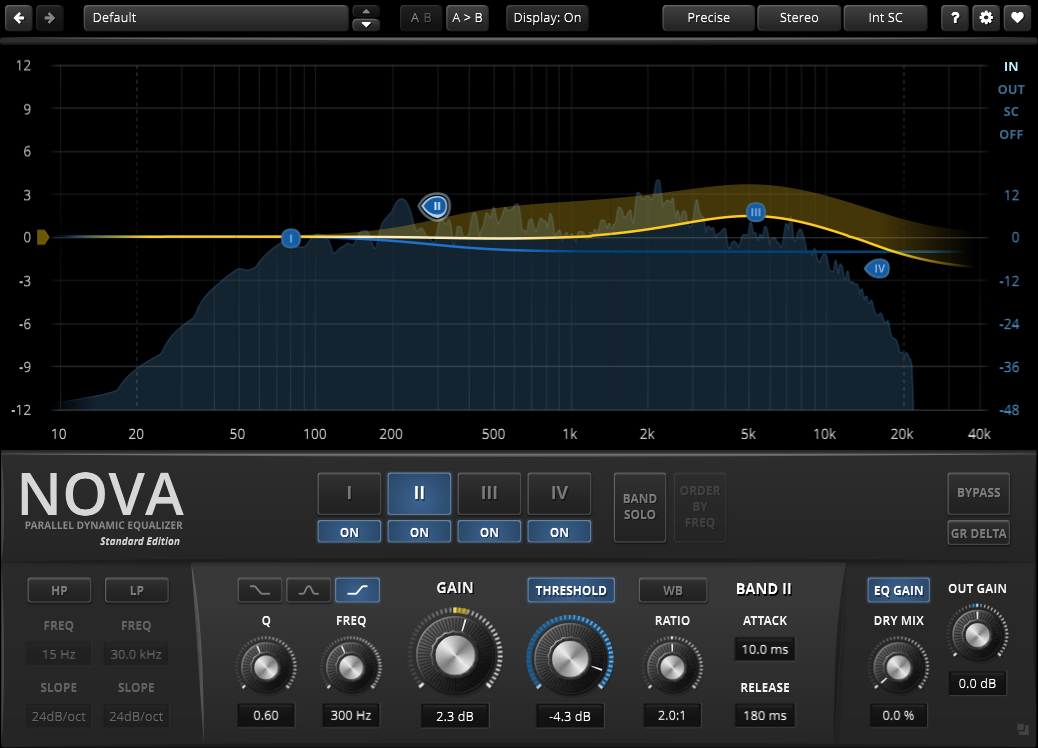
TDR nova is a very good sounding free parallel EQ, with the ability to have some point set as Dynamic EQ. Very nice for mastering.
Pros:
- Scalable UI
- One-click download for the installer
Cons:
- Would be nice if we could adjust theme colors a bit cause spectrum is a bit dark IMHO
- Only 4 points (but this is enough in most cases, especially considering that the high pass and low pass filters doesn’t require EQ points)
- UI could leave more place to the spectrum
Audio Restoration
FX on this categories are about reparing problems on recorded sounds.
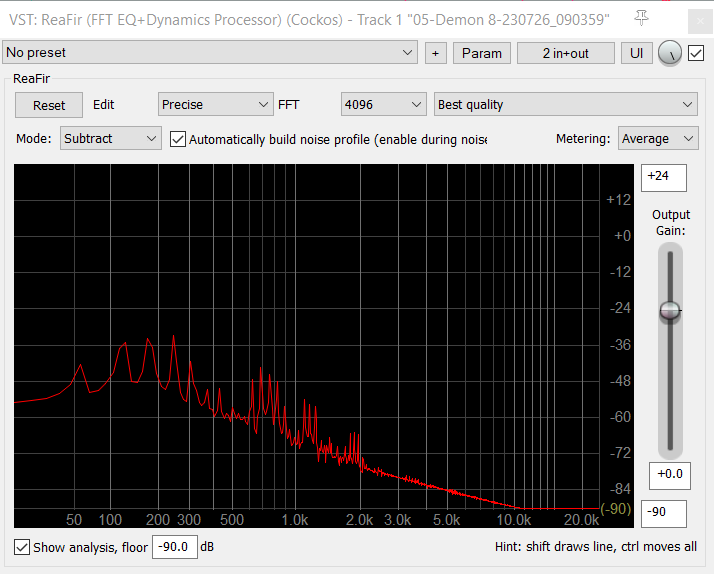
REAPER native plugin: ReaFir
Best Commercial Alternatives
- Izotope – RX: complete plugin suite for audio restoration. My favorite is the guitar strings denoisers and the mouth declickers, as both of these are very good and have no alternative.
- MyAudioFactory – ProAudioClipper: Best audio declipper
Bertom – Denoiser Classic
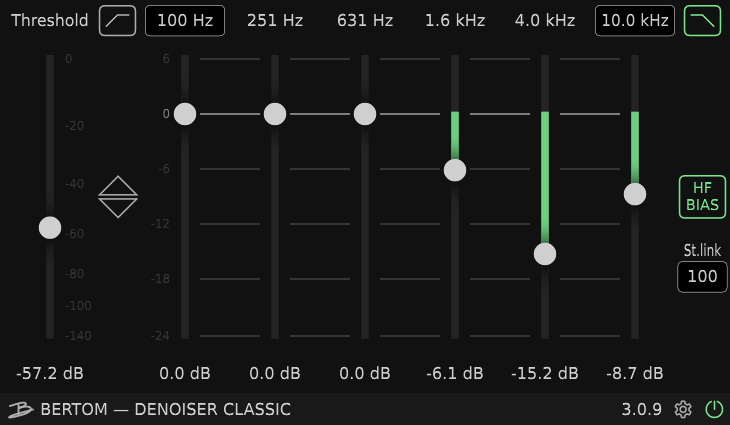
Must-have. This denoiser is not only far better than REAPER ReaFir for denoising, but it is also far better than all denoiser plugin I have tried (except maybe the pro version, but this one is already pretty great).
A denoiser plugin is required in almost every situation, especially for beginners with sub-optimum microphone and gear for voice capture, noisy guitar mics etc… so this one can definitely be a game changer. The only reason for which you might not need a denoiser is if you plan to only use synths and existing clean samples.
Pros:
- Scalable UI
- No need to defined a noise profile
- Works in low latency – CPU efficient
- Multi-bands
Cons:
- Need email and purchase (even if 0$).
- Need a bit more learning than a knob plugin (but definitely worth it)
Compressors
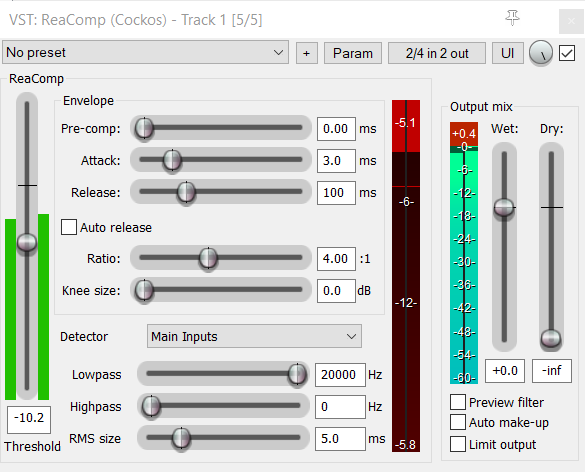
REAPER native plugin: ReaComp
Best commercial alternatives
- FabFilter – Pro-C 3: Classic approach but with advanced features and excellent ergonomics
- Sonible – Smart Comp 3 : Advanced compressor with a touch of IA to propose settings
- Playfair Audio – Dynamic Grade: Unique and modern approach on compression could be handled
- APU – Loudness Compressor: Loudness based advanced compressor
- NoiseWorksAudio – DynAssist: Offline next-gen compressor
TDR – Kotelnikov
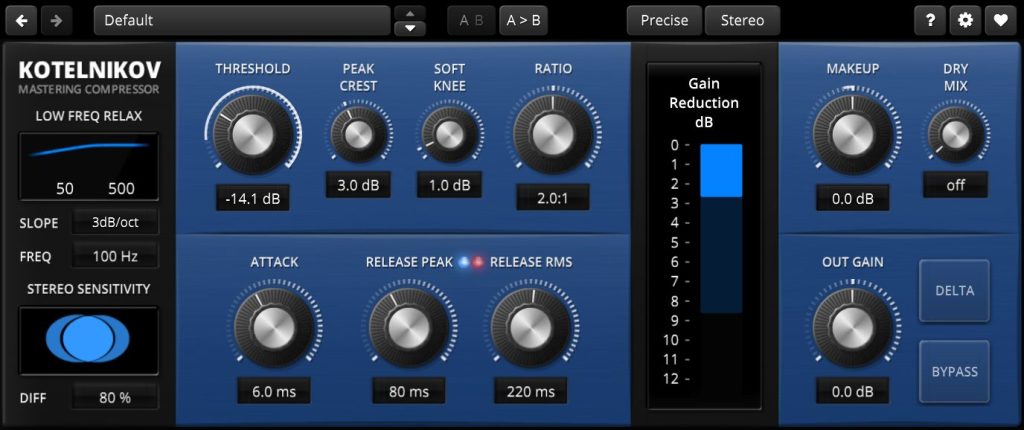
Kotelninov use a different signal path than traditional compressors (like ReaComp) to achieve compression, separating peaks and RMS signals, and I have to admit it sounds quite transparent, which is especially nice on master FX chain.
Pros:
- Scalable UI
- Easy one click download
Cons:
- A bit tricky to get around the controls
- No graph view (only meters)
Sixth Sample – Cramit
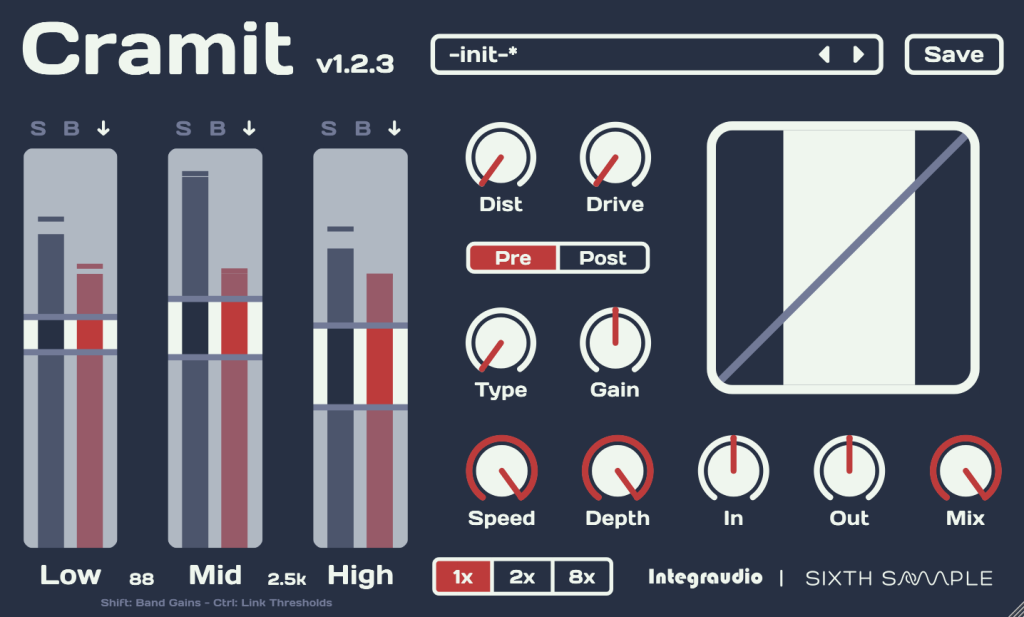
This one is not for everyone workflow, but it is so well done that it deserve to be showcased here. Cramit is a replication on steroids of OTT (Over The Top) famous effect, as found in Ableton Live. As its core, it is a multi-bands expander-compressor, capable of shaping (and crushing) the sound quite a lot, making it very appreciated in heavy electro music production. This one is surely the best replication of this effect in a plugin format compatible with all major DAW.
Pros:
- Scalable UI
- Easy download
Cons:
- A bit tricky to understand if you are not familiar with the concept
- Need email for download
Playfair Audio – Body
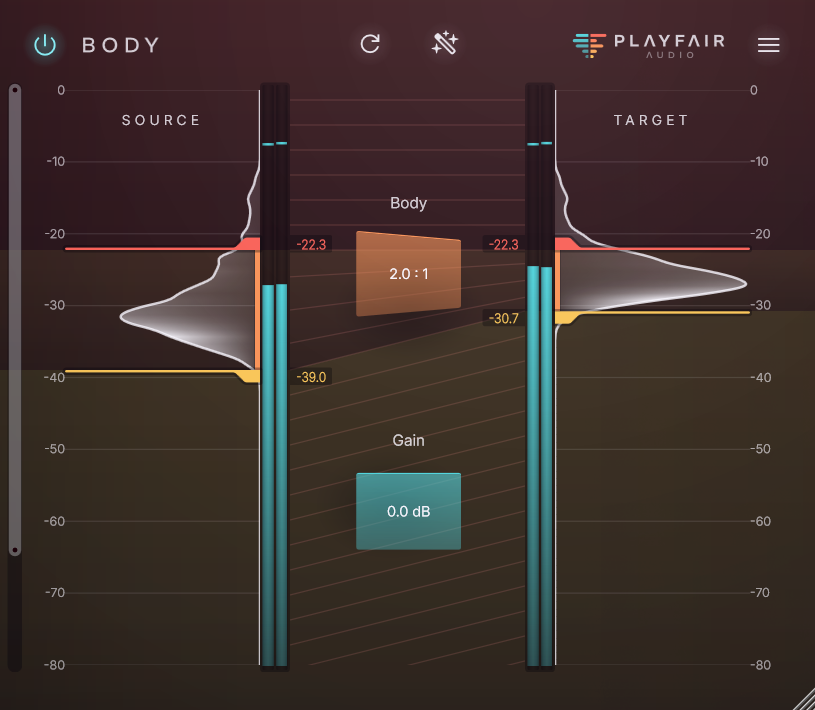
Playfair Audio Dynamic Grading is one of my favorite compressor. It takes an innovative approach to compression, by allowing to visually squeeze a chosen dynamic range from the source to a target range, doing compression or expansion accordingly, and taking care of all the other complexities under the hood.
Body is a recent (late 2025) free version of Dynamic Grading, offering less controls, but it’s still very effective, especially on voice, drums, and acoustic guitars. It’s IMHO so good at it that I considered it Must-Have.
Pros:
- Freely scalable UI
- Easy download
- Very good results
- Simple to use
De-essers
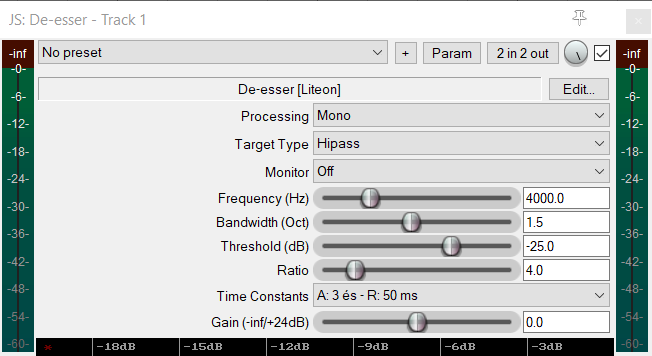
The sounds produces by “S” can be particularly present in recording, especially with low-end microphone. A good de-esser should correct that easily and effectively.
REAPER native plugin: JS De-Esser
Best commercial alternatives
Techivation – T-De-Esser 2
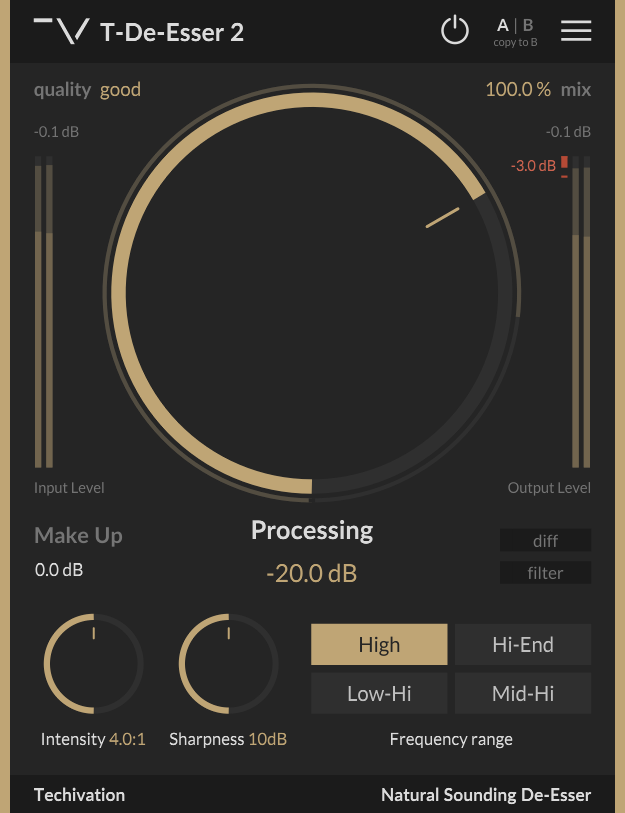
Must-have. This de-esser is simple to use and effective.
Pros:
- Scalabe UI
- Clear design
Cons:
- UI could be more informative (graph over time)
- Need email and account for download, and a license file
Limiters – Maximizers
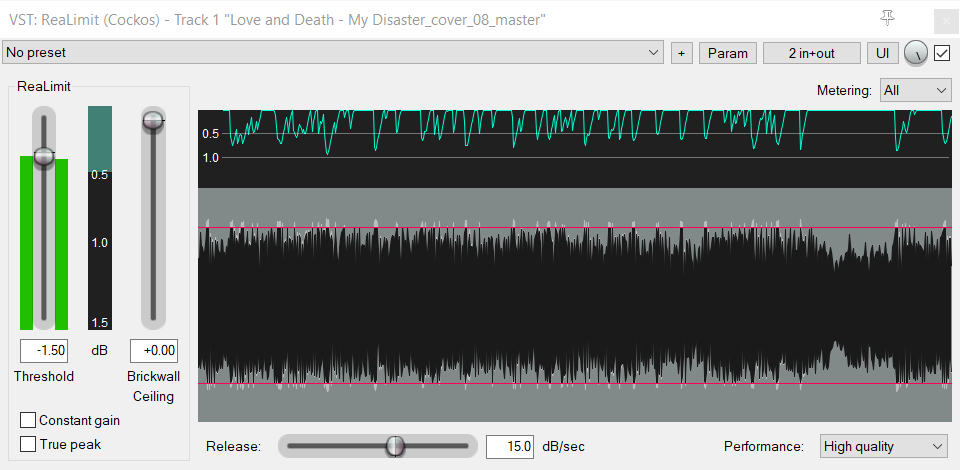
Reaper native ReaLimit effect can do the job but it may lack of character. Here is a free alternative.
REAPER native plugin: ReaLimit
Best commercial alternatives
Press Play – Wave Breaker
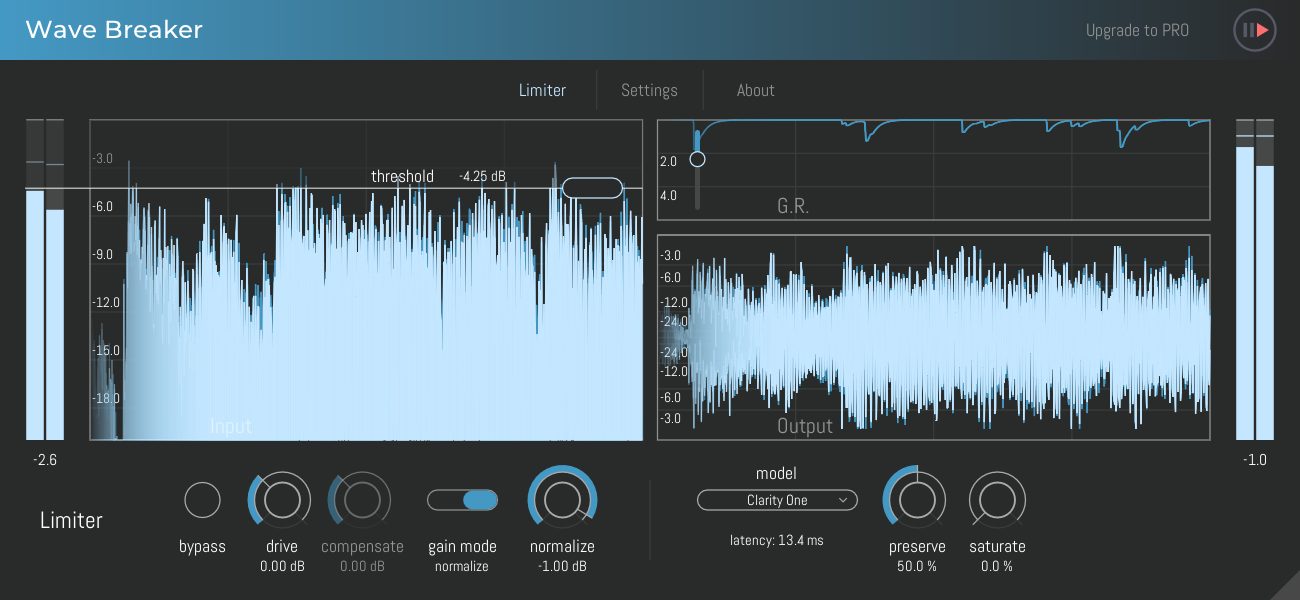
This plugin has handy visualization, and a good maximizer model which sounds effective.
Pros:
- Fully resizable UI
- One click download
- Waveforms display and gain reduction over time display
- Light/Dark modes
Cons:
- Pro limiters-maximizers have more features, like loudness display, dynamic range meters, and in-depth statistics
Saturations
This category is about saturation, drive and distortion. It is a nice way to add colorization or punch to a sound, or even to destroy it with extreme settings.
These effects come in a large diversity of types, mostly depending on what kind of hardware unit they emulates (tape, tube, transistor etc), the kind of algorithm they use, or their intensity of processing (just a small touch for glueing sounds, or high-gain for destroying them)… I will not make a sub-category for each types, and rather focus on plugins which can propose several flavors of saturation out of the box, to get you started more quickly.
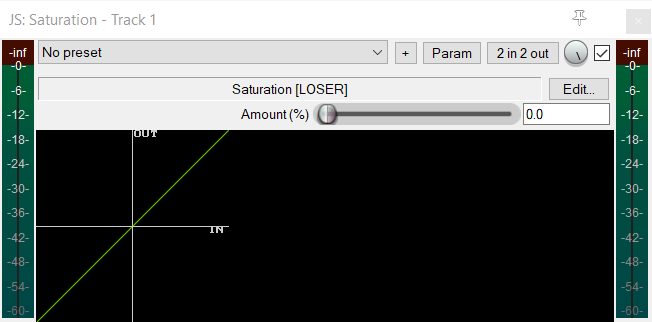
REAPER native plugin: JS Saturation
Honorable free alternatives
- Kit Plugins – Burier: simple and well-made saturation, but requires making a purchase and creating an account
- Newfangled Audio – Obliterate: very nice UI, but too extreme for regular softer usage (hence the name)
- iZotope – Trash Lite: this one comes with the Native Instrument Komplete Start bundle showcase above, so I don’t think it needs another spotlight. It’s quite good and diverse, has lots of presets, but I’m not a fan of the UI.
- Voxengo – Tube Amp: minimal tube amp emulation, easy to download and install
- Kilohearts – Distortion: this one is part of a must-have FX pack I have listed above already. It doesn’t come with soft distortion like tape and tube, and is meant for dirtier sounds.
Best commercial alternatives
- FabFilter – Saturn 2: Multibands multitypes saturation plugin with modulation features
Techivation – T-Saturator
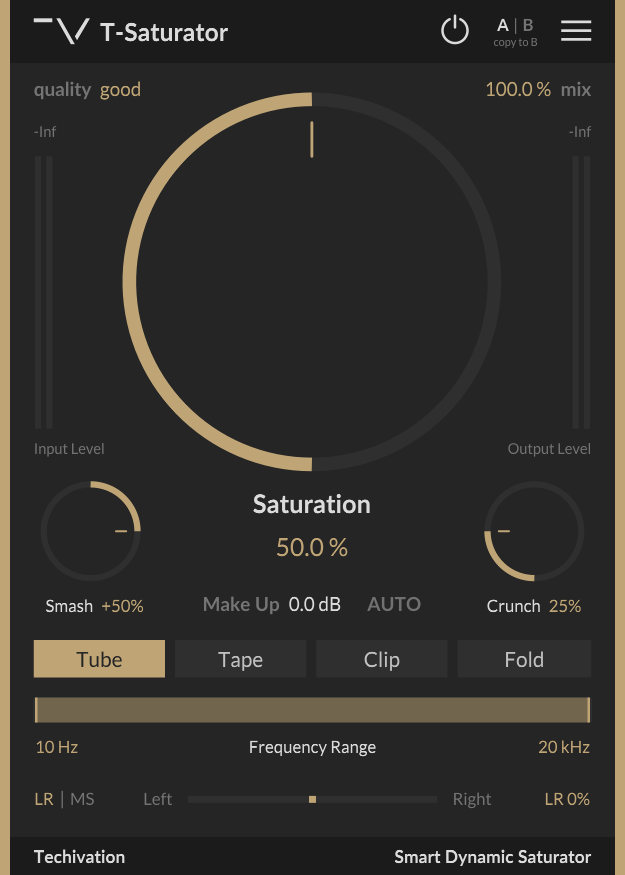
This simple to use free plugin can handle all your basic saturation needs, which is very handy.
Pros:
- Scalabe UI
- Clear design
- Multiple saturation types, from soft (tube, tape) to more extreme (clip, fold)
- Extra fancy parameters like Mid-Side processing, Bandwidth, Smash and Crush
Cons:
- UI could be more informative (saturation curve)
- Need email and account for download, and a license file
Bit Crushing
Lese – Codec
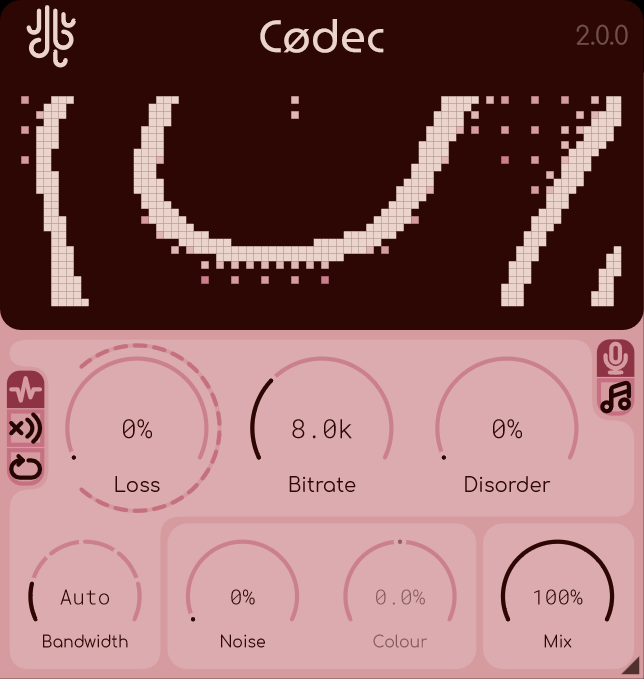
This little sound degrader does the job quite well. Can be useful for sound design, transitions, or punctual sound effects.
Pros:
- Freely scalable UI
- Nice features
Cons:
- Need email for download
tritik – Krush
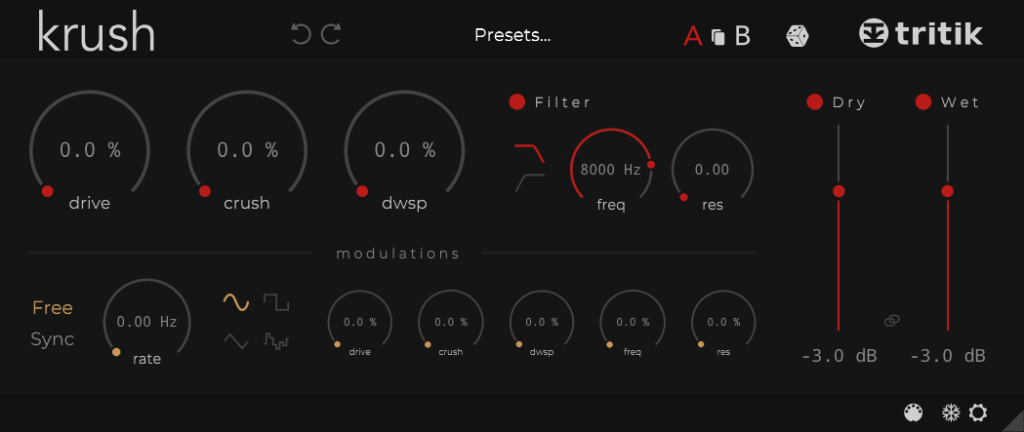
Krush is a creative bit crusher, thanks to its modulation module, allowing to make some parameters evolve over time.
Pros:
- Freely scalable UI
- Modulation module
- One-click download
Guitar / Bass amps
Guitar and Bass amps are among the plugin category with the more diversity. They are several types of them, from simple, to complex:
- Individual gear plugins which emulate only one device on a signal chain (an overdrive pedal, a particular amp, a cab…). The modularity you will have will come from the number of individual plugins you will install.
- Simple multi-FX suite plugins, with limited modularity and few components variations (for eg, one gate pedal, 2 ovedrives, and amp and reverb).
- Complete Multi-FX suite plugins which proposes several choices for each modules, and let your organize your chain modules in any order. These plugins can features more than 150 devices emulations, which allows maximum sound exploration possibilities.
For convenience, I didn’t select individual gear plugins, as they are more niche, and less flexible IMHO.
Honorable free alternatives
- Native Instruments – Guitar Rig 7 Player: It’s nice but IMHO, not the best sound (for metal at least), and is quite heavy on CPU. But it can be ok, and as it is part of the Komplete Start plugins suite showcased here, so you may already have it.
- IK Multimedia – Amplitube 5 CS: Free version of Amplitube 5, with a small selection of amps and pedals. I will showcase another (and better) IK Multimedia multi-FX just below already.
- Audio Assault – AmpLocker: The demo version of this amp plugins offers a guitar and a bass amps, and several FX. Its main advantage is to not need any account to download, and it is light-weight. Can definitely worth it if you want something accessible.
- NAM – Gateway: Neural Amp Modeler is an open source project to build software to capture gear tones with AI. It has been integrated in many plugins, and in a free affordable one made by NAM authors called Gateway. It’s pretty basic (no fancy UI with gears photo, no FX, few controls) but tones are great. Free tones can be downloaded on Tone3000 website.
Best commercial alternatives
- IK Multimedia – Tonex: Modern guitar plugin, with an appreciable modules browser
- TwoNotes – Genome: Nice guitar plugin with really good sound, and lots of advanced modules
- Positive Grid – Bias X: Advanced multi-FX with build-in AI agent to prompt to get tone. This is a bit gadget IMHO, but the sound and UI is great nonetheless!
- MixWave – Spiritbox: For modern metal guitar sound, handle low tuning very well
- Mercuriall – SS11-X: Small but very good all in one stompbox-style plugin, with speakers IR
IK Multimedia – TONEX CS
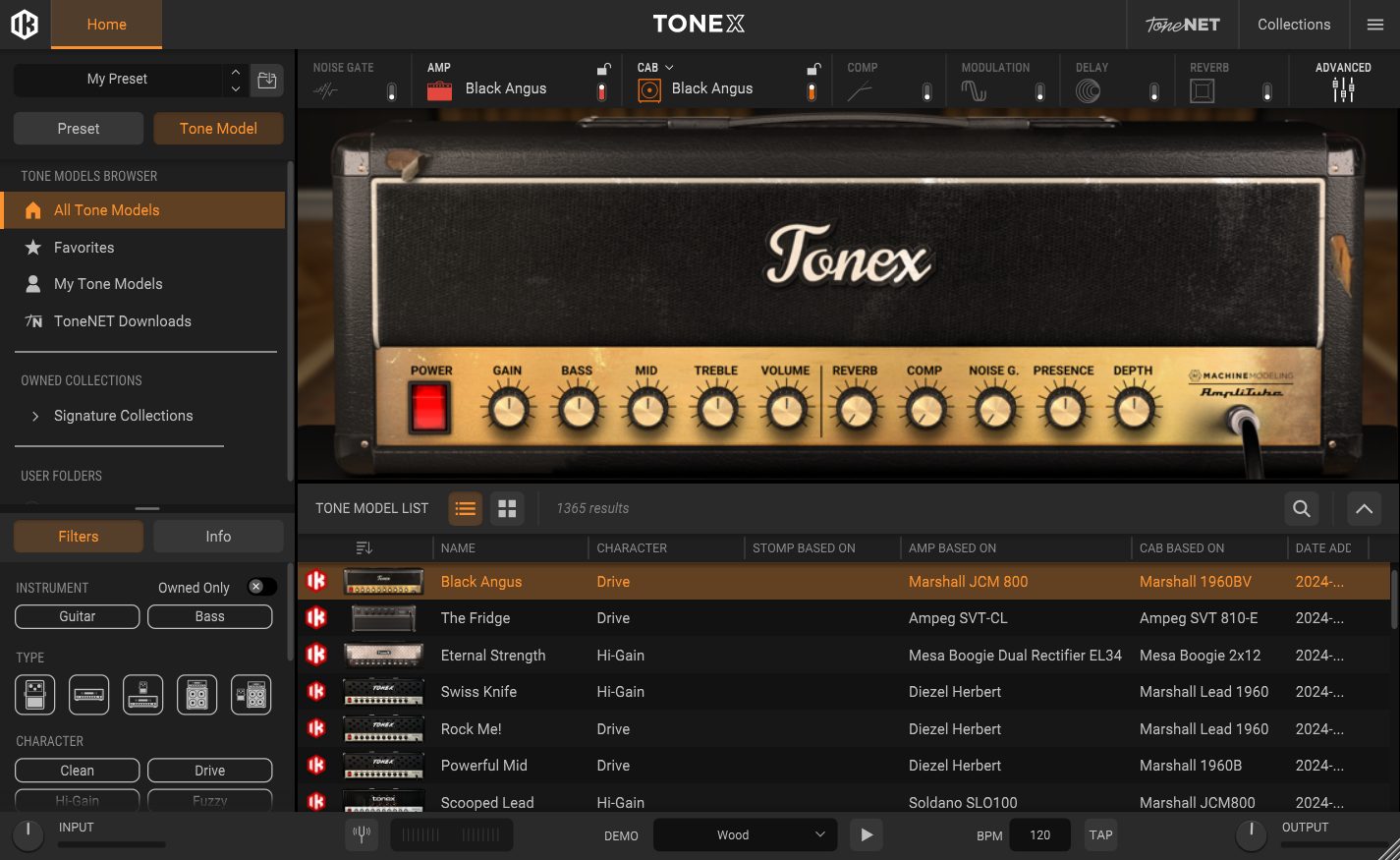
TONEX CS is the demo version of TONEX, with a more limited amp choice set, yet quite big for a free plugin. It is a very good sounding plugin thanks to IA-modeling, with a lot of features. If you want to upgrade for more amps, keep in mind the paid version goes on sales often.
Pros:
- State of art Guitar emulation
- 20 amps out of the box
Cons:
- This plugin is big, like 1-2 gigas.
- CPU heavy
- Limited features set compared to the paid product (but that is understandable)
- IK Downloader is not that good. I had to personally report several critical bugs for it, and it still has few annoying quirks.
Two Notes – Genome Intro
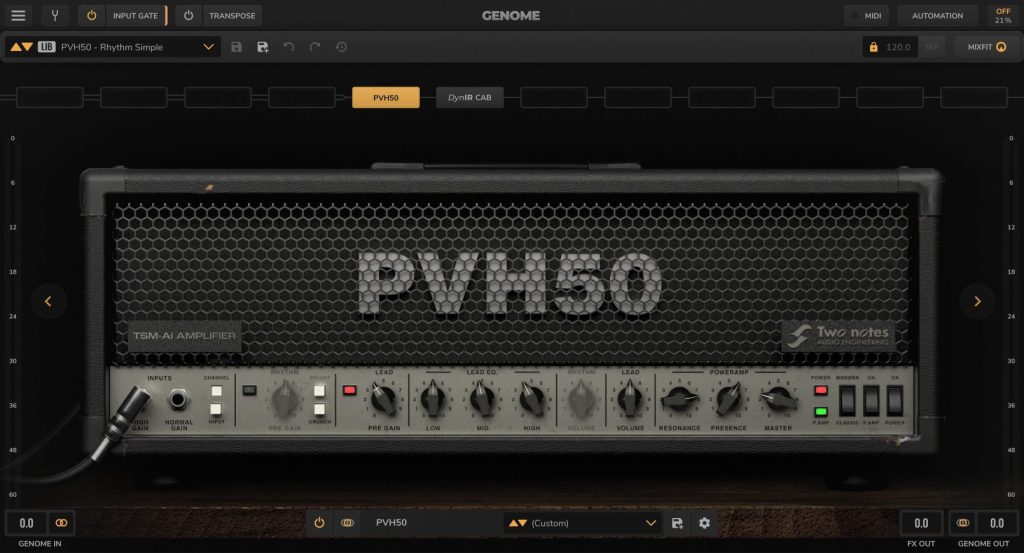
NEW 2026-06: New Genome 2.0 has landed with a free version, called Genome Intro. It’s a complex guitar-bass amp, with lots of module, complete signal chain flexibility, stereo in support, AI model support, virtual cabinet etc… The interface is quite good, the preset browser is nice… All good!
Pros:
- State of art Guitar emulation
- Advanced (this could be a con for someone looking for simplicity, but I see that as positive).
- 4 amps out of the box, and 14 pedals
- Other models loader (IR or AI)
Cons:
- Need account
- Limited features set compared to the paid product (but that is understandable)
- CPU heavy
Tone3000 – Tone3000
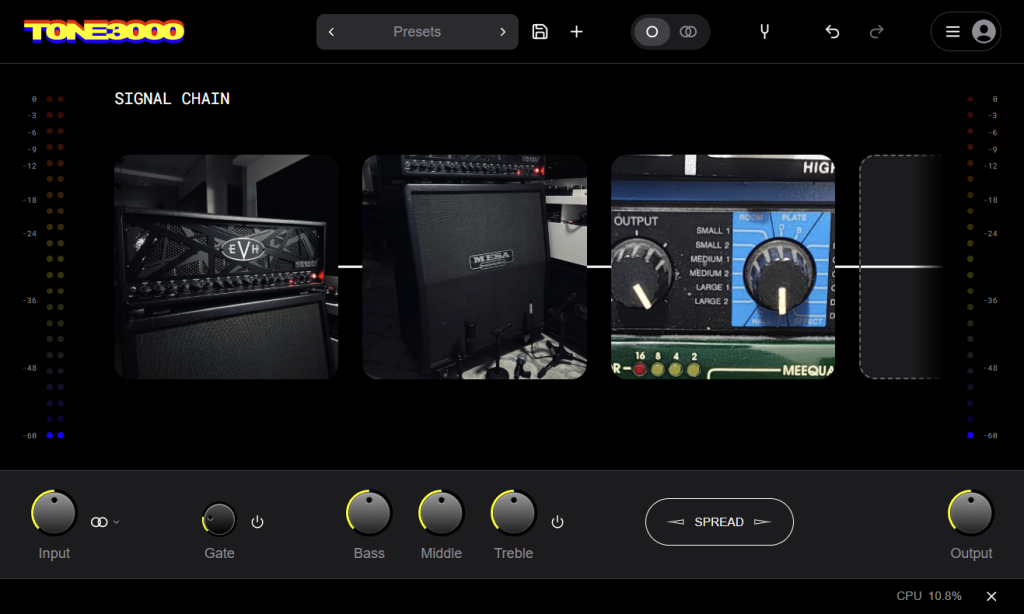
NEW 2026-09-02: Brand new plugin of Tone3000, a platform hosting crowd-sourced tone captures, using the open source Neural Amp Modeler (NAM) AI based technology. Though some consider this is next-gen for realism, I prefer the tweakability of simulation based amp. But if you are looking for specific amp and tones, and if you use other FX plugin on the chain, it might be just what you need!
Pros:
- Simple and effective UI
- Huge catalog, accessible via the plugin
- No account needed for the plugin download
Cons:
- AI captures are less adjustable than amp modelisation
- Mostly a based “tone” plugin (FX with modulation and pitch needs to be external)
TMT Technologies – Tonocracy
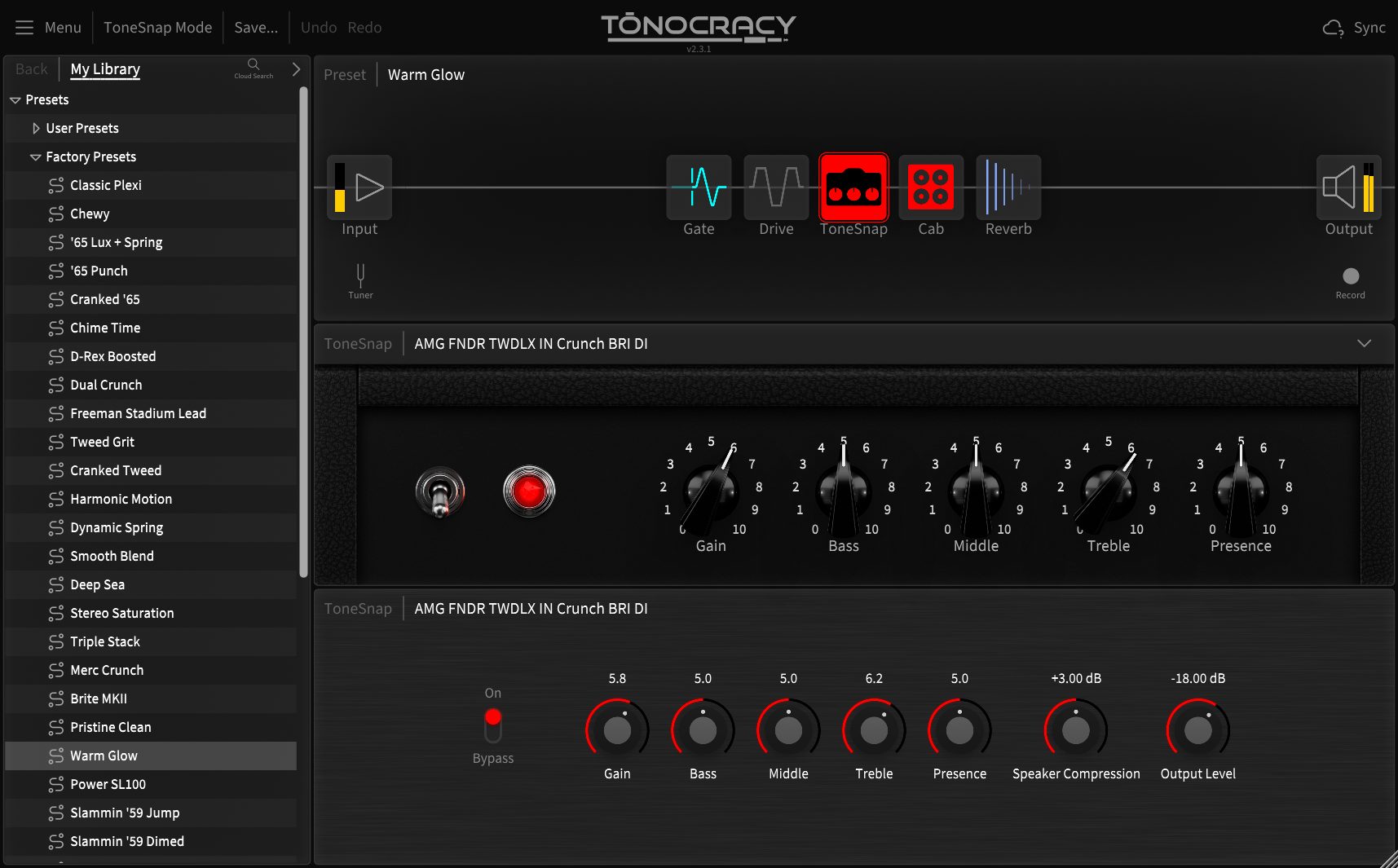
Tonocracy is a free guitar multi-FX based on IA-modelling for the amps. UI may feel a bit too schematic, but I wouldn’t consider as a con as it has the benefit of being readable. Though, the lack of dedicated images for the modules (amps in particular) can makes them a bit hard to remember.
Pros:
- Freely scalable UI
- Online hub to get other users tones
- You can create your own chain profiles
Cons:
- Need account for download
- Presets are not sorted by style
- Only few controls per module
- Images for modules could help browsing
- A bit high on CPU
- Possibly no maintained anymore (didn’t see any update between this plugin release and the last time I updated this article)
ML Sound Lab – Amped Roots
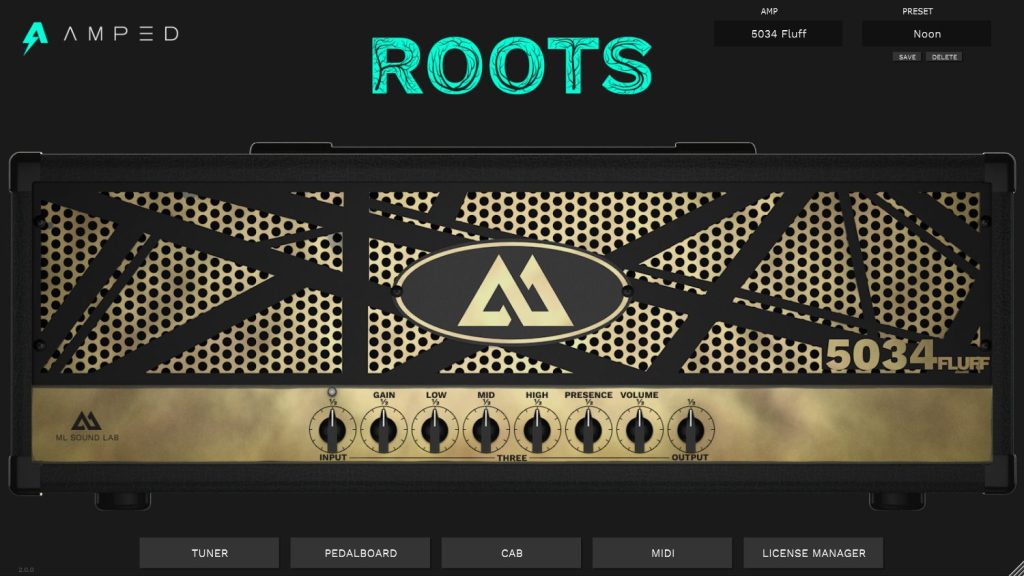
If you want to do high-gain metal guitars, a simple plugin like Roots can do the job perfectly. We made a full album using Roots (Friops – Dying Dreams), though it was with a amp of a paid version, yet it showcases the overall quality of the plugin. Note that ML SoundLab proposes other free amps for high gain.
Pros:
- Very good modern sound
- Light-weight
Cons:
- Requires user account, and 0$ invoice
- One one amp in free version
- Very limited cab choice (though, some can be downloaded for free on other websites)
- Cab IR loader is way to basic, prefer a dedicated IR loader if you want to use other IR (best free is Lancaster Audio – Pulse 2)
- Controls are tiny
Modulation
Compared to other FX, the following ones are meant to have automated parameters.
Honorable free alternatives
- Tilr – Various Plugins: several open-source modulation plugins (bonus, Tilr comes from the REAPER community, and initially developed his plugins in JSFX format!)
- Audiomodern – GateLab: very advanced gate sequencer
Best commercial alternatives
Tal Audio – Tal Filter 2
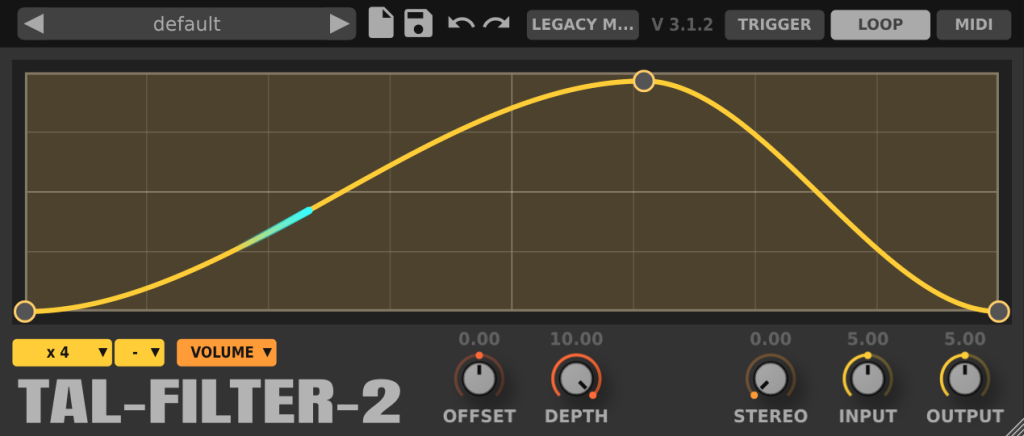
This plugin allows to repeat a modulation (volume change, filter position etc) over time, in sync with tempo grid of the project. It is especially nice on pads to shape them in detached notes, or to make room for a regular four on floor kick, by lowering the volume at start of beat.
Pros:
- Freely scalable UI
- Fancy curve editing
- One-click download for the installer
- Different output possible (pan, volume, filter…)
A1Audio – A1TriggerGate
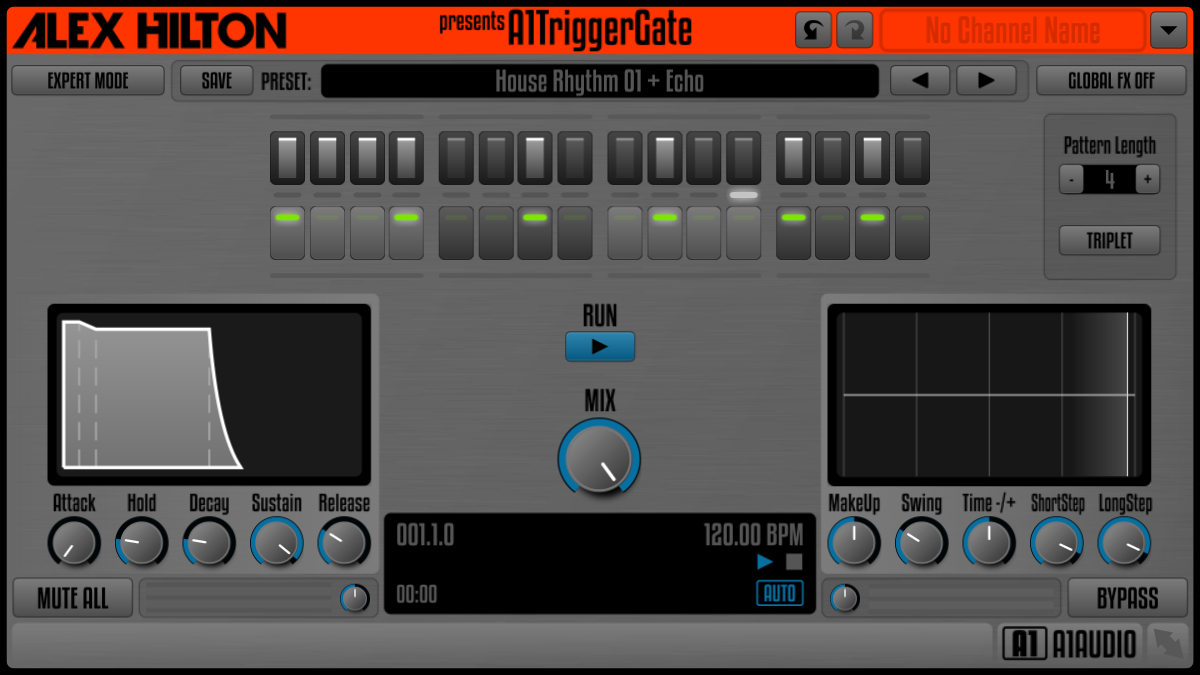
Trans gate are a bit specific but can be very useful in electronic music, and works very well on electric guitar as well. This one has a lot of features, it’s all good!
Pros:
- Freely scalable UI
- Nice and Readable UI
- One-click download for the installer
- Presets
Chorus
SliderSound – S Doubler
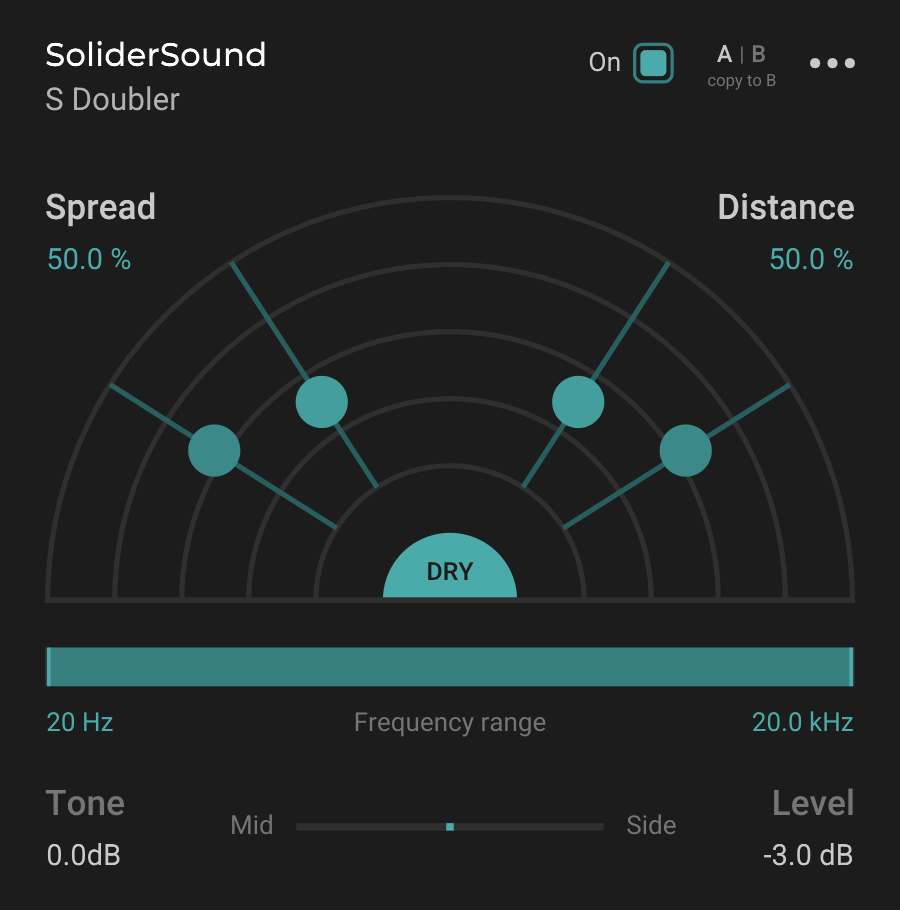
Doubling voicing to add layers is a very common effect. If not done at recording, it can be done with FX. This plugin can do that easily in a very good sounding way. It’s meant for voices, but can be tried on other sources.
Pros:
- Freely scalable UI
- Clean and readable UI
- Natural sounding
Cons:
- Need user account
- No way to only set two voices and not 4
Acon Digital – Multiply 2
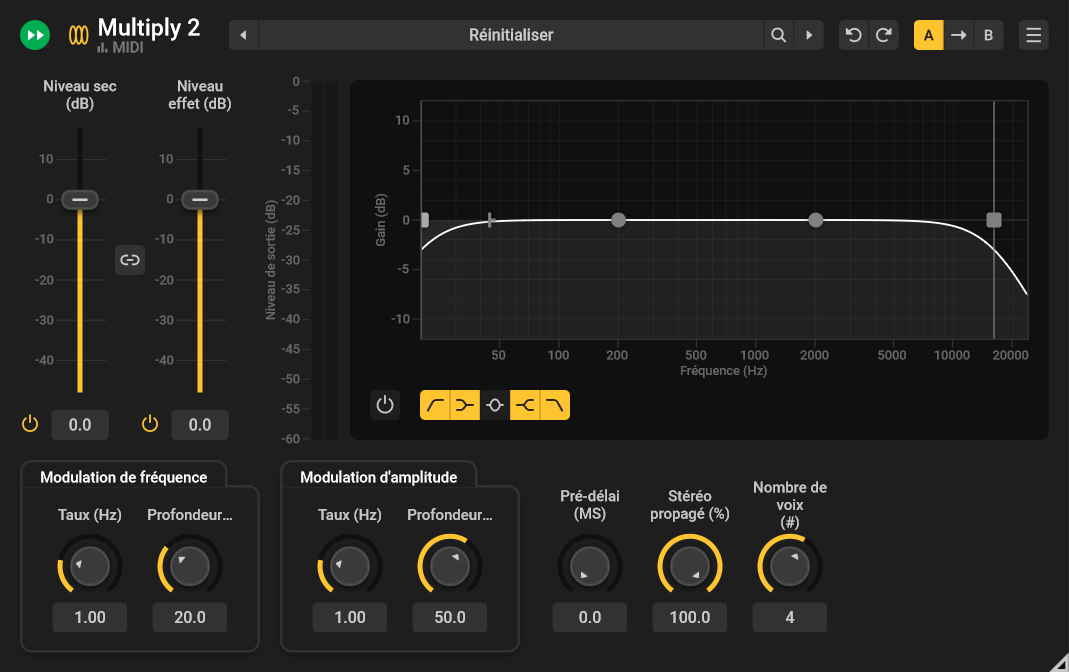
If you want more from your chorus than what you can find in plugins from the FX packs listed at top of the article, this one should satisfy your need ! UPDATE: 2026-07-28 the new v2 of the plugin is out!
Pros:
- Freely scalable UI
- Clean and readable UI
- Nice features
Cons:
- Need user account
Stereo Control
REAPER native plugins: various JSFX
Bertom Audio – Phantom Center
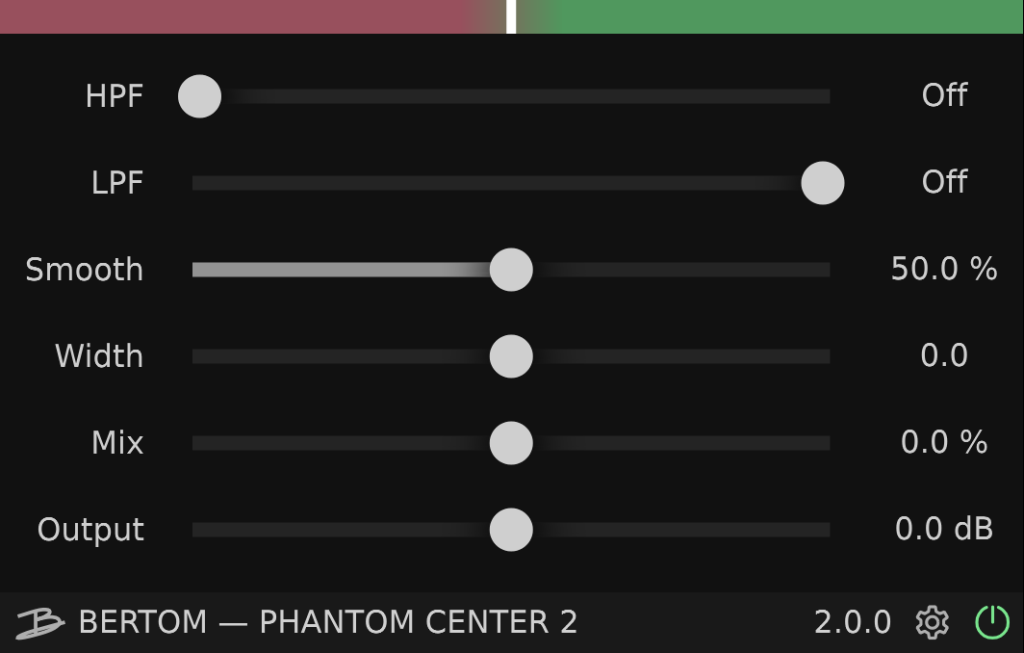
Sometimes you need adjust the relative volume between the center of the stereo and the side. The usual process to do that is Mid-Side. Bertom Phantom Center approach is different, and is IMHO way more satisfying. I use it systematically when working on covers, to analyze the side (especially to check the guitar parts), but it can be very useful on mixing as well!
Pros:
- Scalable UI
- Simple to use
- Unique
Cons:
- Small latency
- Need email and purchase (even if 0$).
A1Audio – A1StereoControl
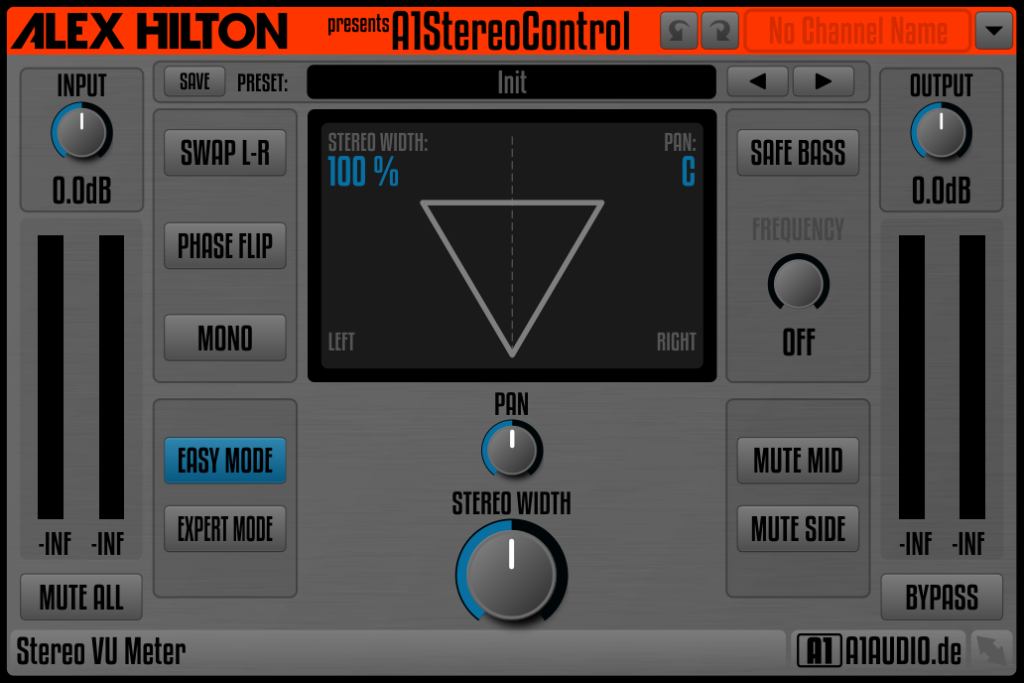
This plugin allows you to control various aspect of you stereo field. I particularly like the Safe Bass control, which allows to de-widening the low frequencies, while still being able to expand the stereo for the higher frequencies.
Pros:
- Freely scalable UI
- Nice features set
Voxengo – Stereo Touch
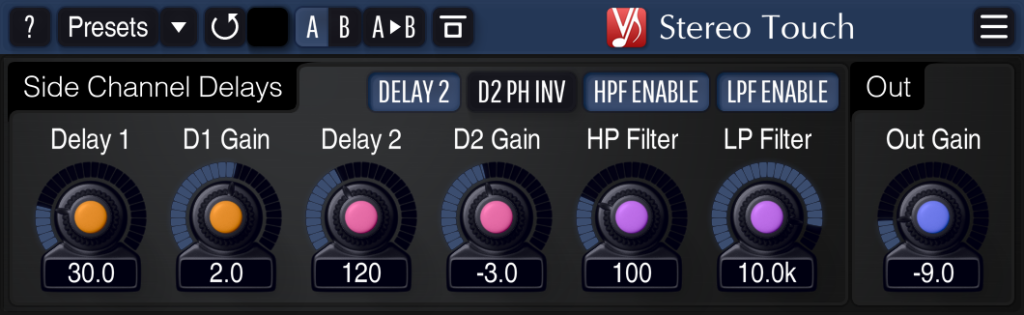
This plugin solves the mono to stereo case in a pretty good way. Not perfect, but handy! (For guitars in particular, best solution I found for fake dual tracking is Audio Assault – Double Take, but it is a paid product).
Pros:
- Scalable UI
- Several Themes
- One-click download
Cons:
- Controls are a bit hard to understand
- Can have some panning artifacts on certain notes (depending on the settings)
Reverbs
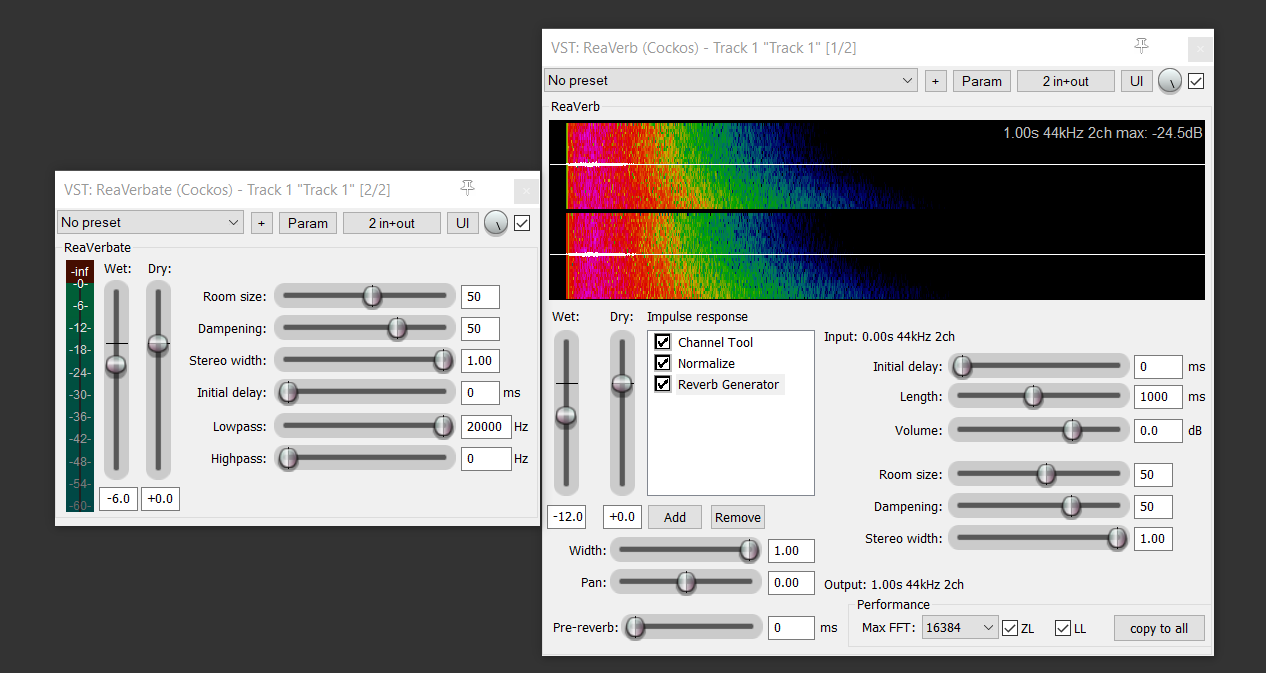
REAPER native plugins: ReaVerberate and ReaVerb
Honorable free alternatives
- MConvolutionXT: This reverb comes with a lot of presets for room type reverb. It can be found on Melda free plugins pack, already showcased on tope of the article.
- JMGSound – HyperspaceCore: New reverb plugin, I haven’t explored it yet. Installation needs user account, and dedicated downloaded.
- Denis Tihanov – Oril Reverb: Very good room reverbs, but unmaintained since years
- Soundly – Place It: Minimal reverb which aims to emulate real worlds environments, very useful for audio-fiction and video post-production. UI is unfortunately not scalable.
- Wave Alchemy – Magic7: Emulation of a popular reverb hardware unit with several algorithm and pre-made presets.
Best commercial alternatives
Voxengo – OldSkoolVerb
This one is go to verb for projects using free plugins. It sounds great, it is simple, but yet has enough feature to allows a good palette of sounds.

Pros:
- Scalable UI
- Clean and readable UI, with few themes
- Presets
- Multiple modes can be emulated (plate, room, hall)
- Nice feature sets (especially the Split function which allows to process the mid and side more or less)
- Easy installation
Cons:
- Lack of explicit reverb types (plate, room, hall) labels, as these modes are a combination of the Space parameter and Damping, so it is advised to start from a preset if you are looking for a particular type
Tal Audio – Tal Reverb
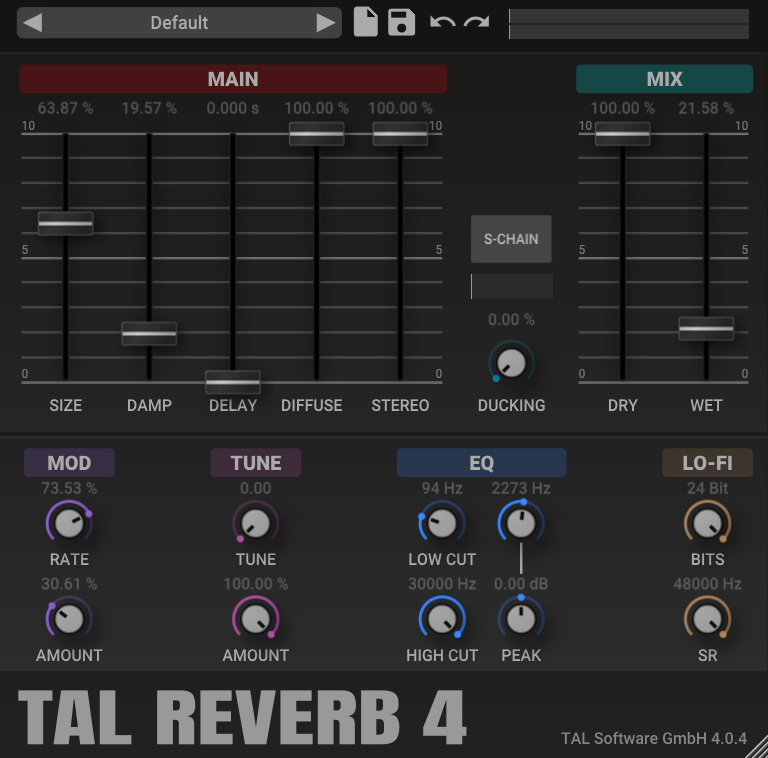
Tal Reverb is a free high quality and simple to use plate reverb, which can be useful in a lot of music genres.
Pros:
- Freely scalable UI
- Easy to use
- One-click download for the installer
ElephantDSP – Room Reverb
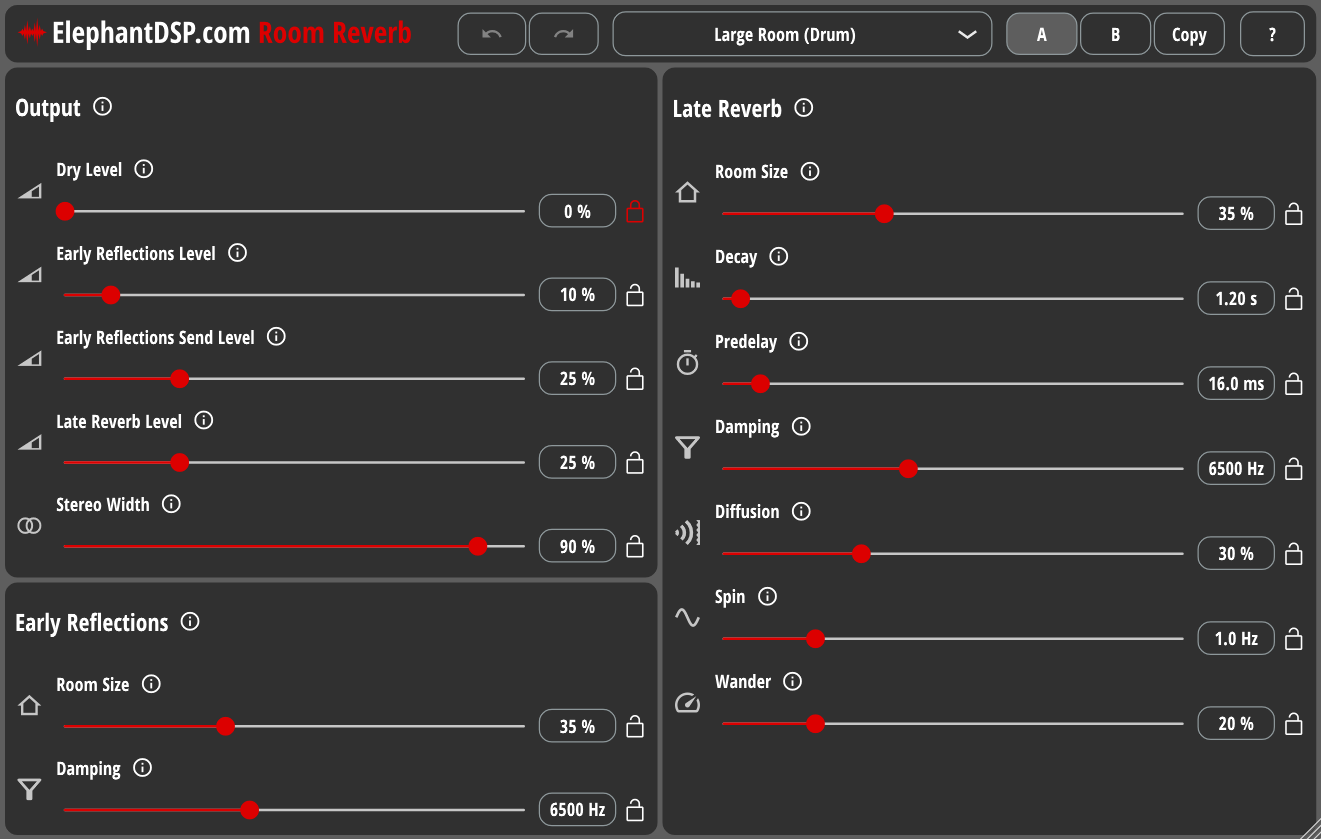
This plugin is a simple to use room reverb.
Pros:
- Freely scalable UI
- Various Room settings
- Presets with explicit names related to space they emulate
- Ability to lock parameters so that they don’t change at preset change
Cons:
- UI could be a bit more polished
Native Instruments – Raum
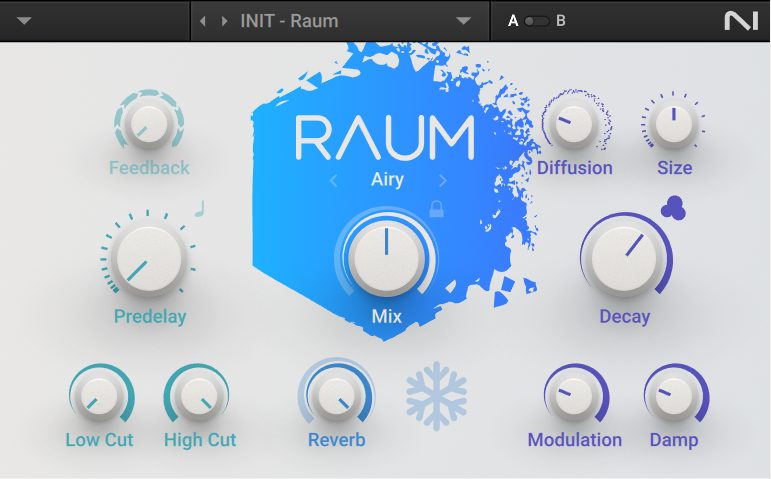
Raum is part of Komplete start listed above. It is a very nice shimmer type reverb, usually used for airy ambiences. Works especially well on distant electric guitars.
Pros:
- Scalable UI
- Nice UI
- 3 algorithms
Cons:
- Need Native Instrument Account and downloader (it’s con only if you were interested just in this plugin)
Stone Voices – Ambient Reverb 7
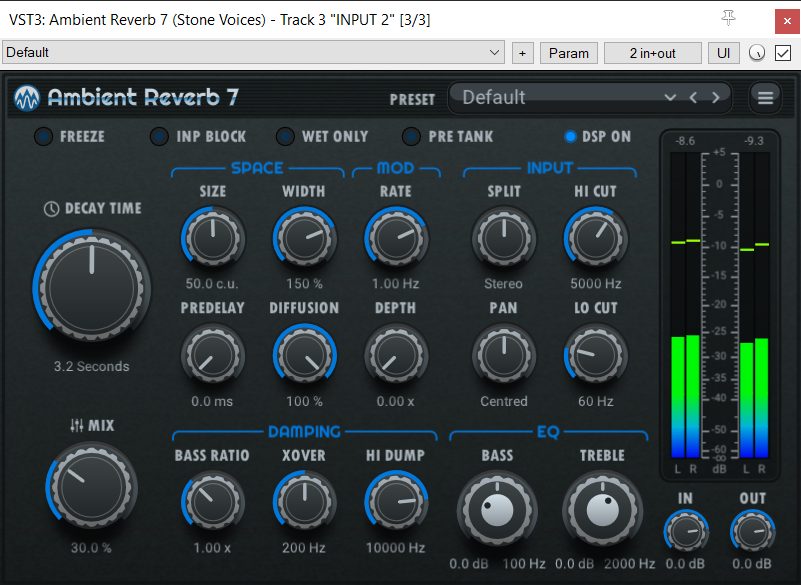
This one is fresh new, so I didn’t use it in a production so far, but it seems it meets all the criteria to be on this list!
Pros:
- Freely scalable UI
- Clean and readable UI
- Nice feature sets (especially the Split function which allows to process the mid and side more or less)
- Easy installation
You can also consider DDverb by the same developer, free as well and looks pretty similar.
Delays
Echos is an essential mixing tool. So having a good delay plugin can help a lot!
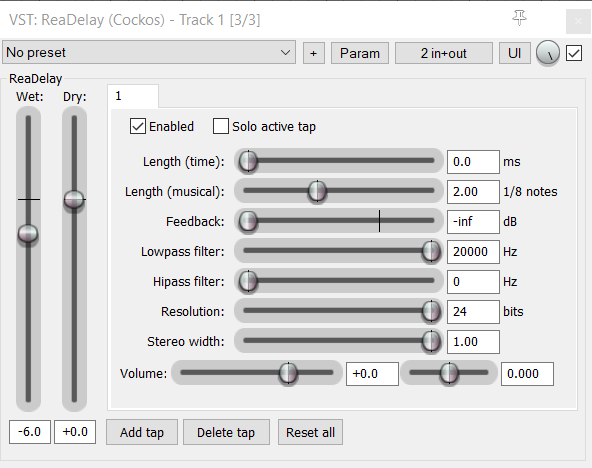
REAPER native plugin: ReaDelay
Honorable free alternatives
Best commercial alternatives
HY-Plugins – HY-Delay free
Must-have. This simple delay have everything you can expect from a standard delay, and even a bit more, thanks to the nice Ducker feature.
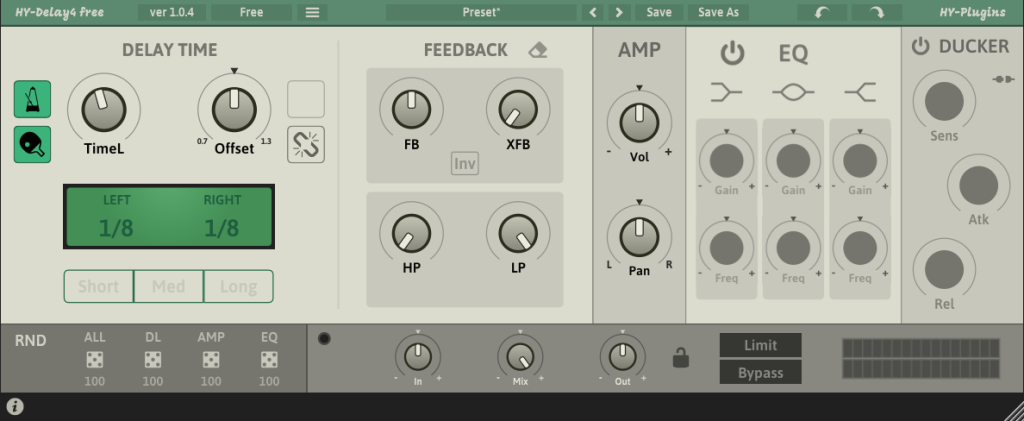
Pros:
- Freely scalable UI
- Clean and readable UI
- Full featured (Ducker, Ping Pong)…
Cons:
- Minor: no built-in presets
Valhalla – Supermassive
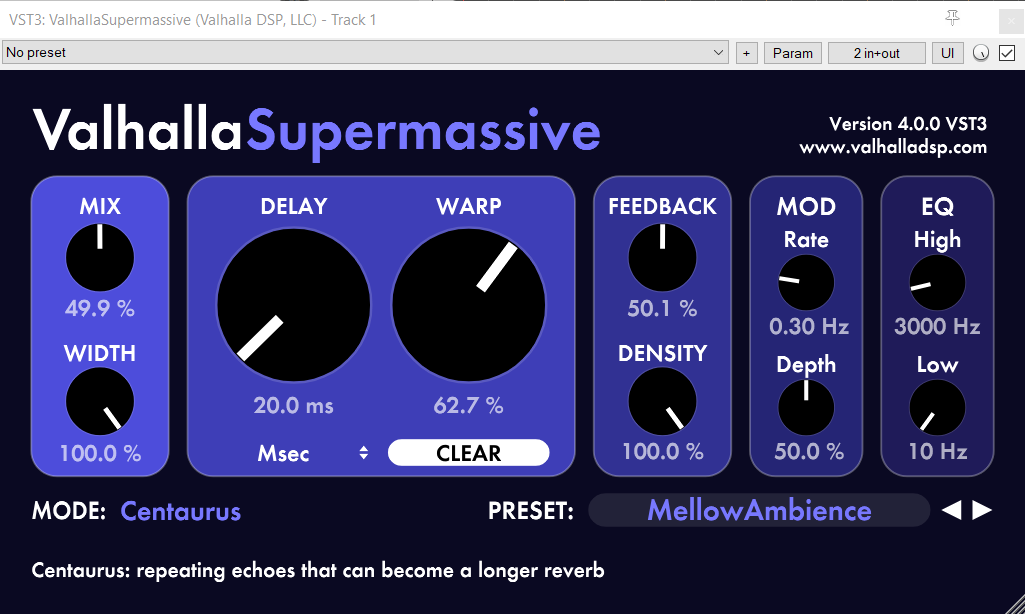
Muse Have. It is awesome to have such delay-reverb for free. It is meant for long ambiences and sound design, and it offers a lot of different algorithm for what, with some essentials controls, accessible in a nice and clean UI. Just browse the presets, and enjoy!
Pros:
- Freely scalable UI
- Clean and readable UI
- Awesome sound, and several algorithms
- No alternative for this price tag
- Lots of nice presets
- One-click download for the installer
Auto-Tuners
REAPER native plugin: ReaTune
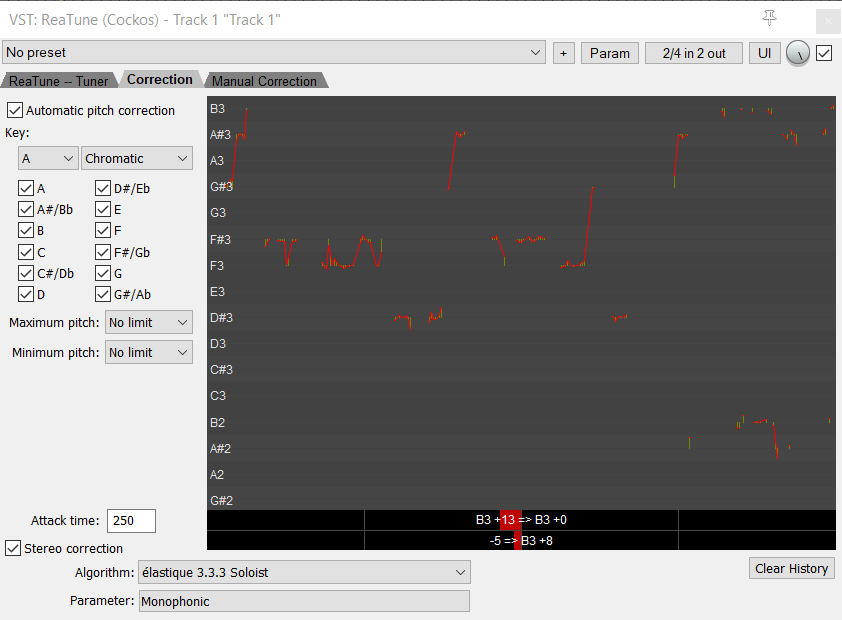
I don’t use auto-tune, but it is mandatory in certain genre. For such cases, and if you are not satisfied with ReaTune, I will advice you to take a look at this one.
Sixth Sample – Spoton
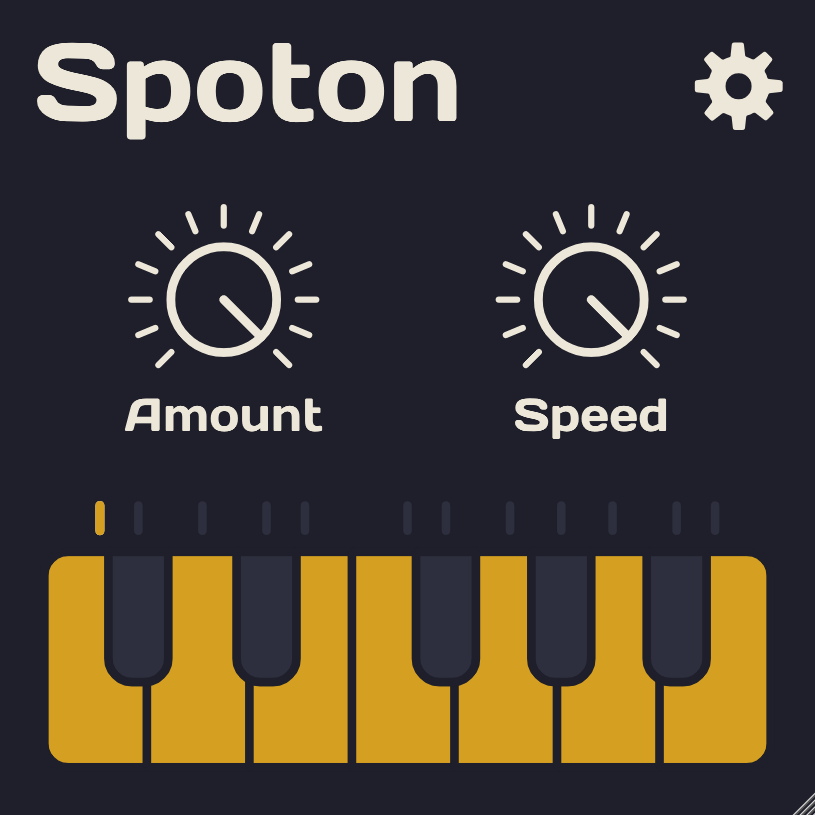
A very simple yet effective auto-tuner.
Pros:
- Freely scalable UI
- Simple to operate
- Easy on CPU
Cons:
- No scale and root fields (you need to toggle on-off each notes individually)
- Need email for download
Vocoders
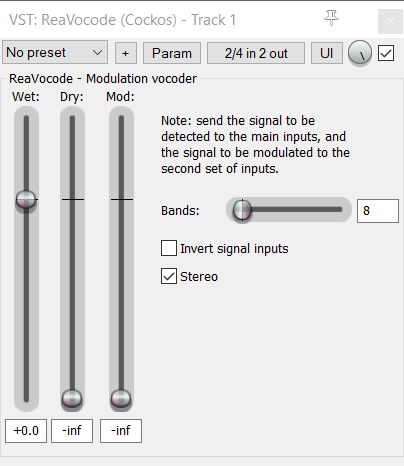
Vocoders are probably not your every projects FX, but they can be very fun to play with, and can be found often in certain music genres. As REAPER has a native vocoder (ReaVocode), let see what we can found on the free plugin market.
REAPER native plugin: ReaVocode
Tal Audio – Tal Vocoder
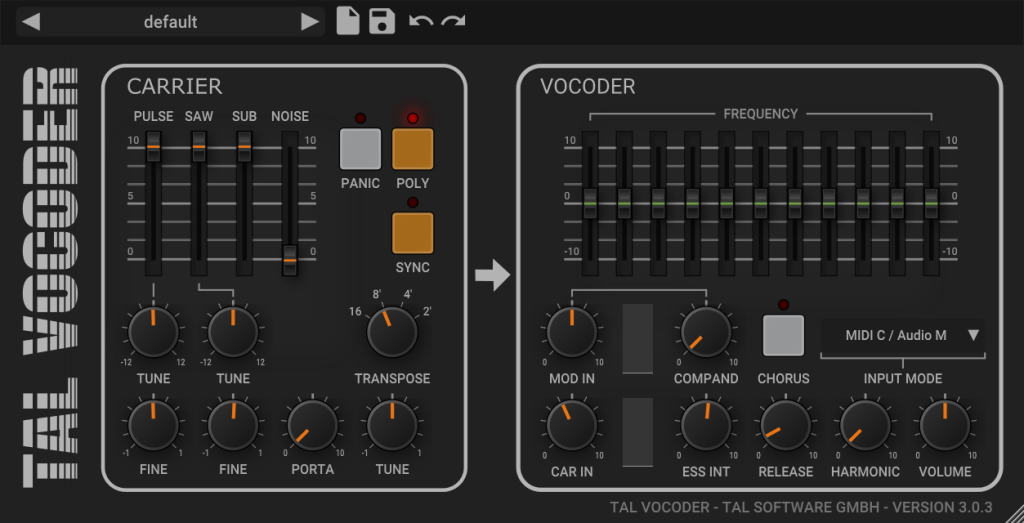
Probably the only vocoder you will need if you need one.
Pros:
- Freely scalable UI
- One-click download and install
- Lots of adjustable parameters
Analyzers
These plugins don’t alter the sounds, they are just here to give you some infos about your audio and help you make decisions.
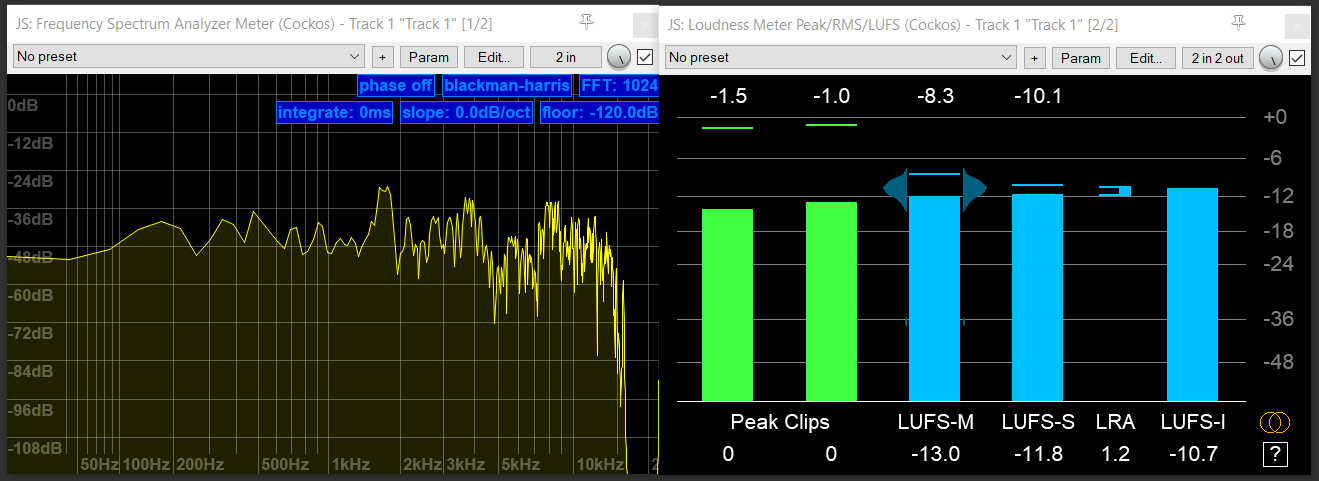
REAPER native plugin: various JSFX plugins
Voxengo – Span
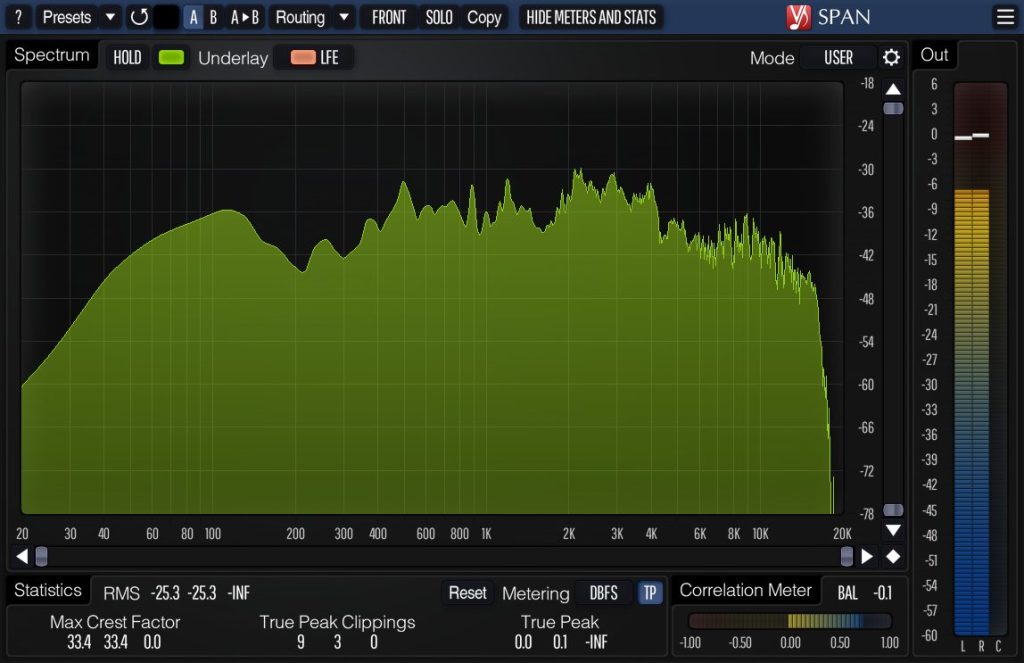
If your parametric EQ doesn’t feature a nice spectrum analyzer already, Voxengo Span will be a very good choice to have one. Tokyo-Daw Prism would be the best new free alternative, which can display the spectrogram of several instances on a single one.
Pros:
- Scalable GUI
- Color Themes
- One-click download for the installer
- Lots of adjustments possible
YouLean – Loudness
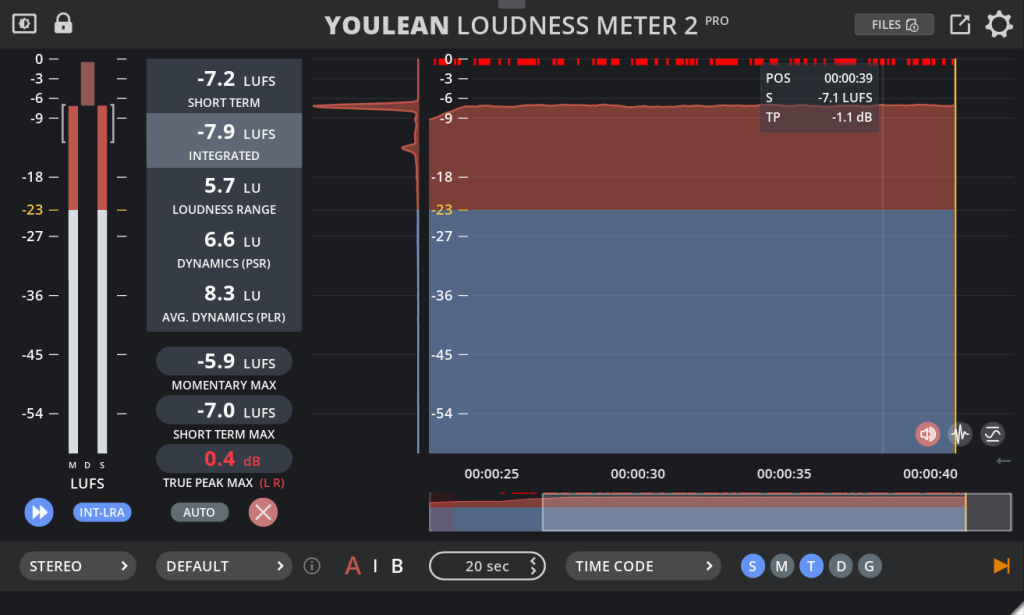
Must-have. This plugin is by far the best Loudness analyzer, which allows you to double check that the perceived audio volume of your track is good.
Pros:
- Freely scalable UI
- Clean and readable UI
- Lots of metrics
- One-click download for the installer
Cons:
- Minor: the excellent Dynamic Ranger meter is unfortunately in the Pro (paid) version. Though probably not the first priority for a beginner, I would encourage checking pro version just for this feature, as it can help mastering a lot.
Tuners
Tuning Guitars and Bass in REAPER can be done with ReaTune, but ReaTune UI is very rough, and I don’t find the tuner as smooth/accurate as other could be, especially for low bass.
I should promote LockOn, which is IMHO the best free tuners, but it requires a user account, an iLok account, iLok softwares installed, and a 0$ purchase. These are lot of steps, overwhelming for new users. Overkill, especially if it is the only iLock plugin a user would use – it is the only one mentioned here at least. Also, it contains in app ads banner (toward other product of the brand though, but it’s distracting and take space). This is below requirements to be on showcase on this page. Most Guitar/Bass multi-FX Amps sims do feature a tuner anyway, maybe not that smooth, but good enough.
Going Further
There are still lot of very good free plugins to showcase, as alternative to plugins listed here, or in categories I didn’t even mentioned. Outobugi Refire for Drum Processing, Sonobus to send audio on the internet.. My list has to end somewhere. You can continue your free plugins exploration journey on your own, based on your need and curiosity!
If you want to go further, I encourage you to take a look at these plugins manufacturers website, because if a company makes a great plugin, there is a high chance it has other nice stuffs to propose (free or paid). Buying a paid product to these devs would also be the best way to support there work, and allow them to continue sharing stuffs for free!
Also, to find other free plugins, and follow new releases, check up these websites:
If you think I miss anything very special, you can put them as comment. I also opened a dedicated thread on Cockos Forum.
Don’t forget to update your plugins regularly, to not miss any new enhancements, fixes or features! I personally check updates before any new big projects. Some plugins can have an update notice system, but most free plugins don’t. If they come with a product manager software, update notices will be available here. Else, you can try the KVR Studio Manager software (free and currently in beta version), or just check the plugin manufacturers by your own.
This list took days to elaborate, so once again, please consider supporting my work, thanks!
In the next article, we will go through free instruments. Meanwhile, please share this list to your fellow REAPER users companions, or any other DAW users! ❤️ Stay tuned!