This article is part 2/4 of a series about free plugins plugins and samples to use in REAPER, especially for beginners or people low on budget. Though, plugins showcased here can be used by any kind of user, and in any other DAW which supports VST and VST3 plugin format.
- 🎤 Best Free Audio FX VST Plugins (2026)
- 🎵 Best Free Instruments VST Plugins (2026)
- 🎻 Best Free MIDI FX VST Plugins (2026)
- 💥 Best Free Sounds Effects and Musical Samples (2026)
Contrary to other music softwares, REAPER doesn’t come bloated with gigabytes of sounds files and plugins that you may not be interested in. Not everyone need to have a full orchestral virtual instrument or hundreds of drum synth samples. This allows to quickly download the software and update it, which is quite nice. REAPER is all about modularity, meaning that it is up to you to choose whatever you want to have accessible from your DAW.
The downside is that people who want to use virtual instruments to control via MIDI will need to download third-parties plugins before being able to start composing. To be fair, this also happen for any other DAW, as their built-in instruments may not be good as those made by companies for which making such plugins (VST instruments, aka, VSTi) is the core activity. Fortunately, lots of very good ones are available for free, and you will find them on this page!
Some instruments are very specific, so I will not make a tons of categories. People who want to find the best virtual accordion will need to make dedicated research. 😉
So, just for like my best Audio FX list, instruments listed here will need to match high expectations:
- Audio quality (it should sounds good, obviously)
- Usability / UX / Design (priority on those who help to understand audio concepts and ease of operation. Also, I will not select non scalable plugin – accessibility is top importance)
- Ease of installation (the less steps, the better)
- OS compatibility (all plugins selected are cross-platform and use modern formats like VST3 or Clap)
- Maintenance (the plugin is still maintained and the dev is responsive – I will not promote abandonwares)
- Stability (it works as expected, and is not in beta)
- Purpose (some free plugins are awesome in every metrics but way too specific to be listed in a beginner list)
The importance I put on each of these criteria is highly subjective. But that is precisely the point of this article: showcase free plugins I prefer, and which I can consider using in real projects.
Keep in mind that these instruments may be sometimes made for free without any kind of business model, but they are mostly offered by companies as welcome gifts (with or without limitations), in the hope you will buy some of their premium stuffs in the future (which can be a way to support the fact they share free stuffs in a first place).
Well, enough introduction, we all know how this kind of article is read: just scroll down, check the plugin UI, and click on whatever seems to be nice to you!
Note: This article isn’t sponsored in anyway by any third-parties, and took days to write. It isn’t generated by a thoughtless IA, but by an actual human, with real experience in sound creation (audio and music) and sound technology. If you want to support my work it will be very appreciated! ❤️
Instruments Pack
Instrument packs are collections of instruments, united behind a single installer or downloader. They can be a quick and easy way to add a lot of instruments, from various categories, into your DAW. It can be more quantity than quality with such packs, but you can have very good and usable products as well.
Most of these are based around a dedicated sampler plugin, which can even allow to make your own instruments (more or less easily).
As all these solutions require an account on their manufacturer website (to be able to sync your libraries, free or paid), I will not list this in the cons list.
Native Instruments – Komplete Start & Kontakt Player
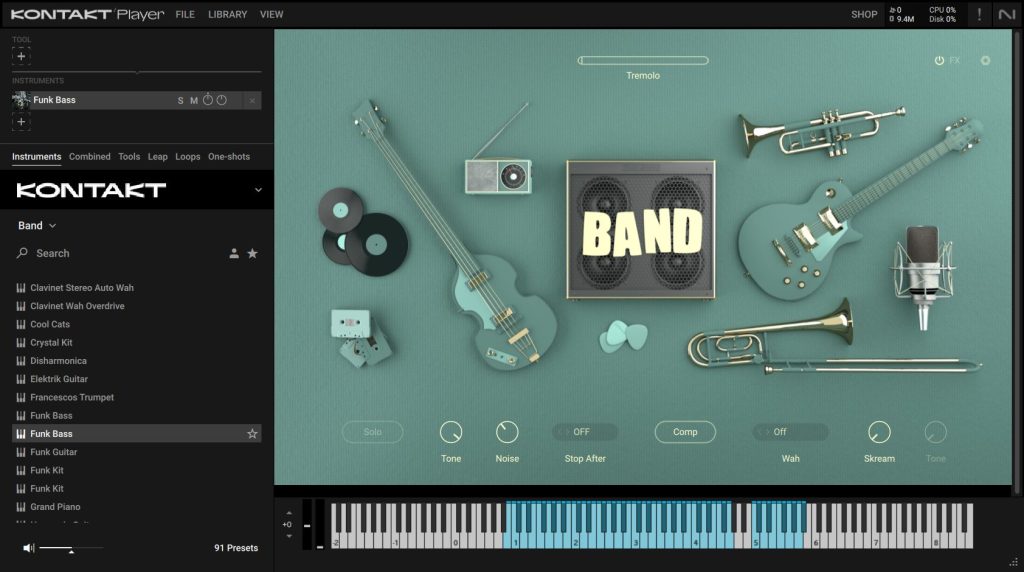
Komplete Start contains some high quality sample-based free instruments, though some of them are a bit specific (like the Irish Harp). But it mostly come with Kontakt Player, a free sampler used by a lot of third-parties virtual instruments developers. It is around (and updated) since two decades and good alternatives are relatively recent, so it’s quite hegemonic in virtual instrument world (for good or bad).
The pack also comes with Factory Selection 2, a big collection of free Kontakt instruments. This is especially useful for new REAPER users, so they can have a lot of instruments to start with with one pack. This is why this pack is marked as “must-have”.
For even more Native Instruments virtual instruments, you can also update your Komplete suite any time (though, better to wait for sales, and to have a NI hardware as well for maximum discount).
Update (2025-08-09): Massive X Player has just been added to this collection. It is a nice synth with very modern sound presets. It is based on their flasgship Massive X synth, but with a minimal sets of controls.
Komplete Start is also showcased in the Best Free Audio FX Plugins article for some nice FX it has, so it definitely worth getting it.
Pros:
- Includes a huge library of free instruments (Factory Selection 2), and some other high quality products
- A lot of free (or paid) Kontakt instruments on the web for all purposes
- Kontakt Factory instruments have a good amount of tweakable parameters and FX
- Some good Audio FX included in the pack
Cons:
- Native Access (NI products downloader) is often buggy. Long updates of several gigas which fails after download, and you need to uninstall the faulty product and reinstall it, hoping not to have to do that several times. It just happen (again) when I was writing this article, and I don’t know anyone who never had issues with it, even just by updating products (like what I did).
- Kontakt Factory instruments UI often take way more space than needed, which isn’t very handy on small screens.
- About Kontakt, some instruments cannot be loaded into the Player version, and require the paid one.
Splice – INSTRUMENT
Brand new: 2025-10-03!
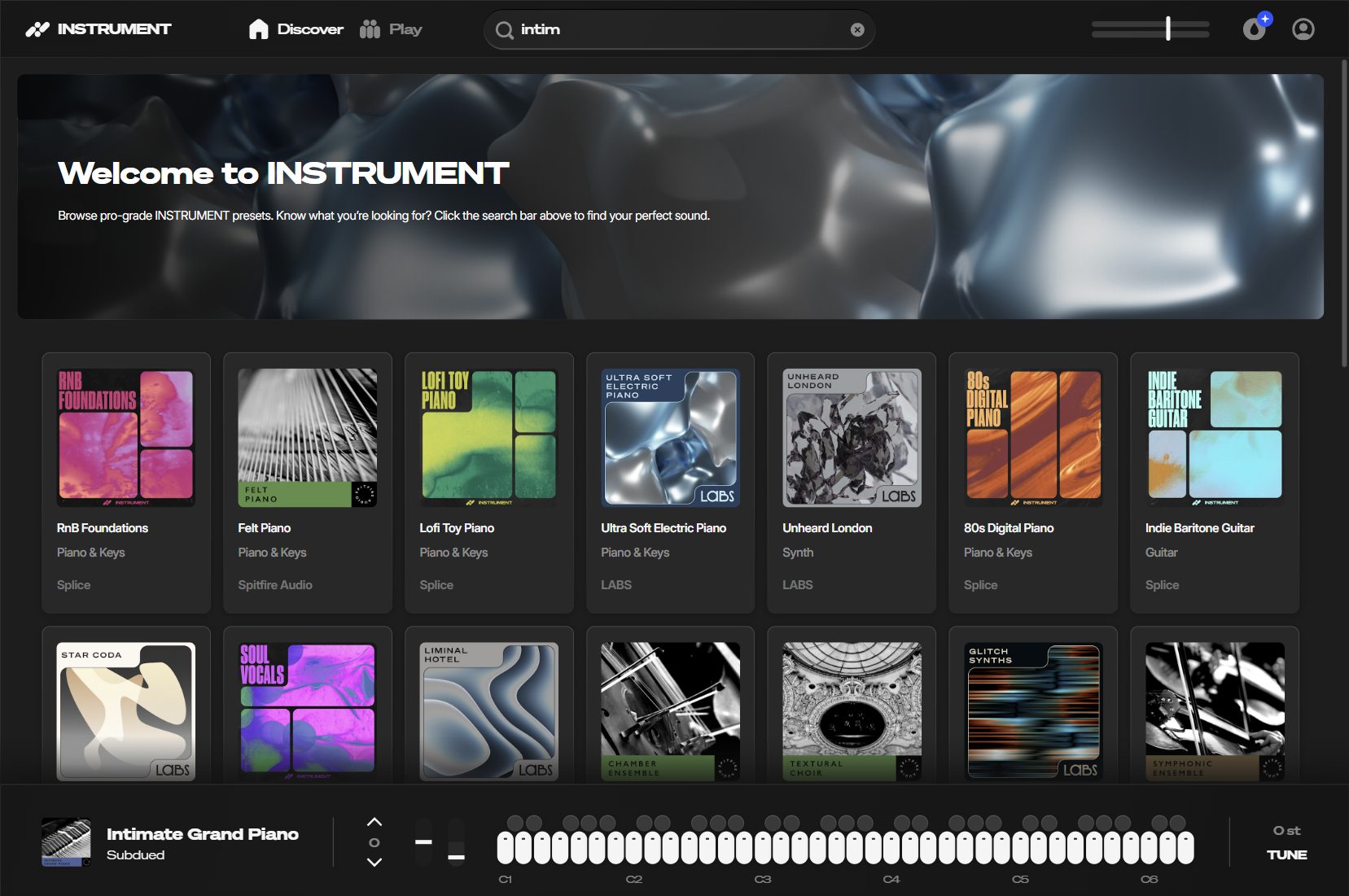
Splice INSTRUMENT is the new plugin to download Spitfire LABS instruments. It features some nice free instruments: some very nice pianos (the Intimate Grand Piano), some orchestral stuffs, and various other instruments. INSTRUMENT do all what LABS did, but with a more modern UI.
To go further, you can also consider purchase some paid instruments, by browsing the catalog right from the plugin.
Pros:
- Scalable UI
- Lots of free instruments (and paid ones)
- New free instrument regularly
- Download only the instrument you want right from the VST
Cons:
- Need Splice account
- Only few controls per instrument
Arturia – Analog Lab Play
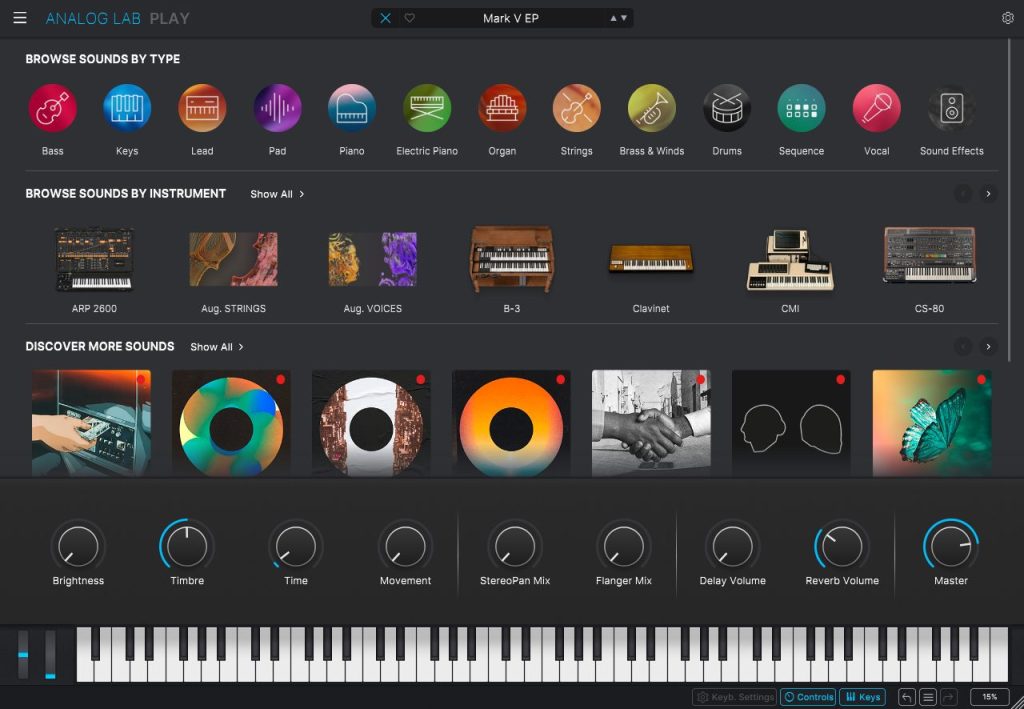
Analog Lab Play is a free suite of instruments which works with Arturia Lab sampler. It features a few selection of sounds in every category (bass, keys, pad etc…), easy to access, but mostly synths, which is IMHO, not as flexible as using a real synth plugin (and it takes way more disk space). Though, it features two nice acoustic piano and some strings, which can be handy.
Pros:
- Freely scalable UI
- Simple
- Diversity of sounds
Cons:
- Heavy do download (>3 Go), and to update
Orchestral Tools – SINEPlayer
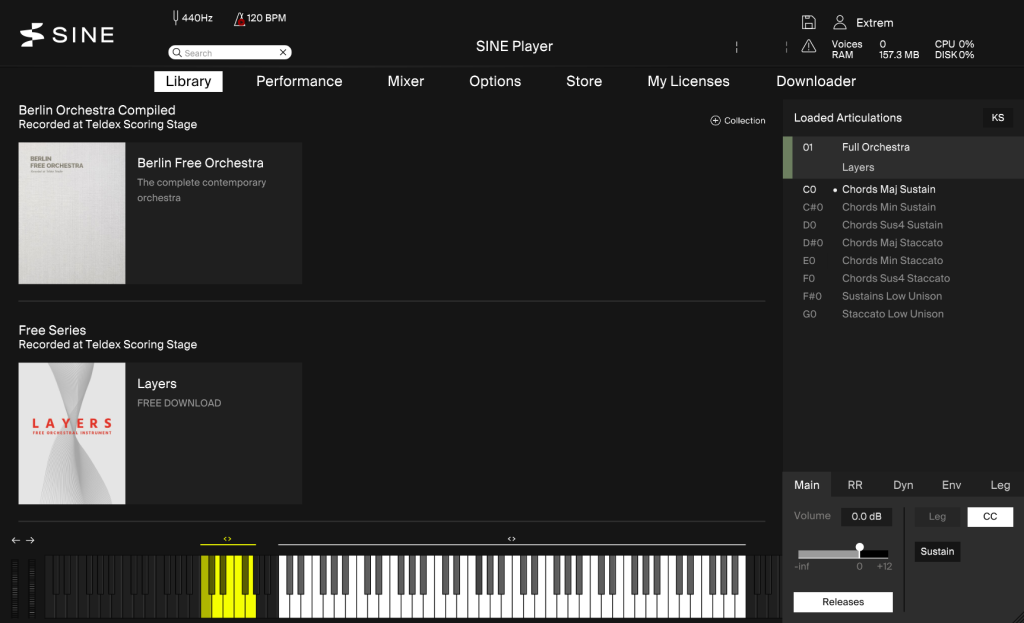
SINEPlayer is the name of a sampler made by Orchestral Tool for their virtual instruments. You can download various free instruments for it, as part of their SINEFactory collection. It features various very nice orchestral stuffs (some of which I will showcase later on this article), and some very good acoustic instruments, like pianos, among other products.
Pros:
- Freely scalable UI
- Simple
- Diversity of sounds
Cons:
- UI could be a bit more informative about the loaded instrument
Decent Samples – Decent Sampler
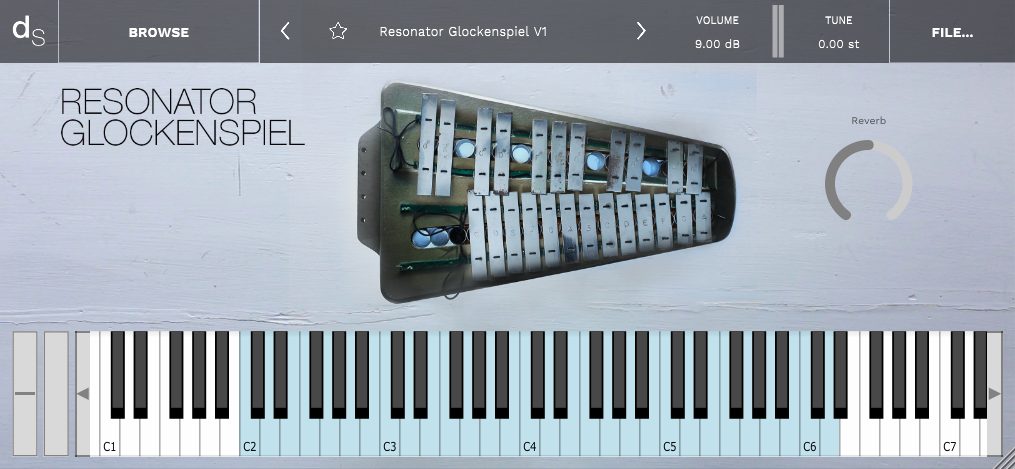
Decent Sampler is a sampler plugin, meant to load virtual instruments made in the Decent Samples format. I haven’t explore Decent Samples that much cause I already have access to some other instruments packs, but I know they are some very good free instruments, including some acoustic pianos.
You can browse and download instruments right from the plugin UI or the dedicated website, meaning the Decent Samples community is less spread out than Kontakt’s one. Also, as it seems simpler to make a virtual instrument for Decent Samples, they are a lot of very experimental and unique stuffs (like the Sonic Toothbrush instrument).
Bonus point: the developer behind Decent Samples, David Hilowitz, is a REAPER user as well, and a fellow ReaScript supporter!
Pros:
- Lightweight
- Simple UI
- Diversity of free instruments
- Browse and download right from the UI
Cons:
- May not be as advanced as top Kontakt instruments
Soundpaint
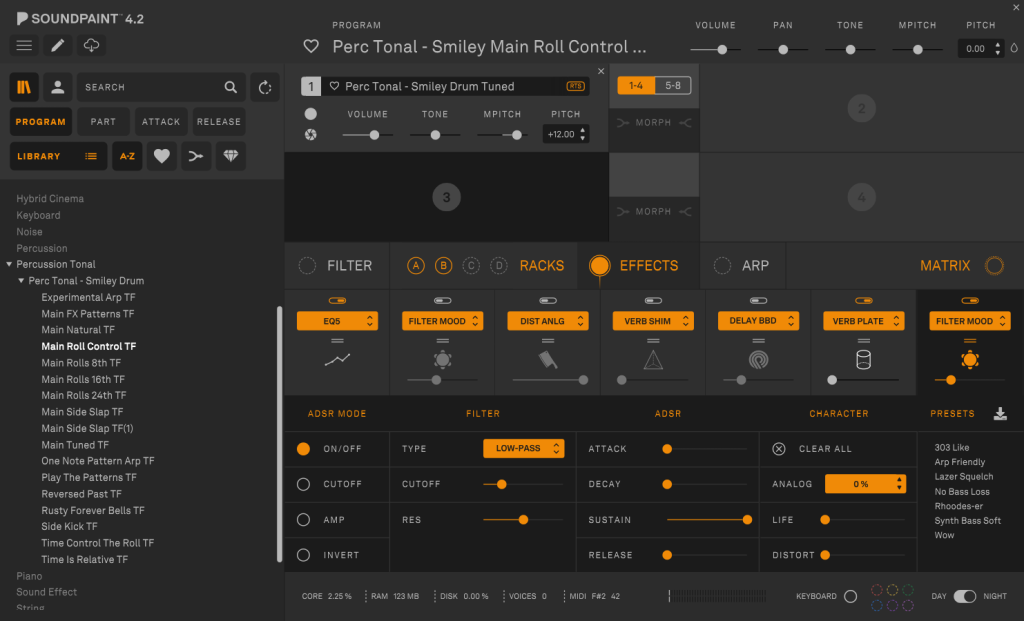
Soundpaint was developed as a relatively recent Kontakt alternative, with the ambition of being more modern. It has some very advanced features.
You can download some (currently 15) free instruments right on Soundpaint website. Most of them are sound design oriented, but you will also find some nice acoustic stuff, like a 1928 Grand Piano. Soundpaint eco-system is less diverse than Kontakt though, so you will not find a lot of third-parties developers for it.
Pros:
- Freely scalable UI
- Advanced features
Cons:
- UI is intimidating (lot of parameters, no specific images for your instrument)
- Manual download of free instrument via the web (it means more clicks to install the whole free collection, and a bit less handy to handle updates)
- The free instruments offer doesn’t cover every typical song needs
- Less third-party offer than Kontakt
Electronic Drums
Electronic drums instruments can be both samplers or synths.
They often come with some kind of pattern creation module, and even with an arrangement mode for the most advanced.
Best commercial alternatives
- XLN Audio – XO: Very nice UI, thanks to a very good map based sample library browser. Very modern sound packs too.
- Algonaut – Atlas 2: Just like XO above, but with extra nice drumpads mapping visualizations, with more sample slots
- Native Instruments – Maschine: It is meant to work with Maschine drumpads, but it can be used as a regular sample. Though, it is very advanced and can even be used without any DAW to create full arrangements.
- TAL Audio – TAL Drum: Sampler with a nice layout
- Audiomodern – Playbeat 4: Srum sampler with advanced sequencing feature
- UVI – Percussion Factory 2: Advanced drum sampler with euclidean sequencer and lots of sounds
Wave Alchemy – Triaz Player
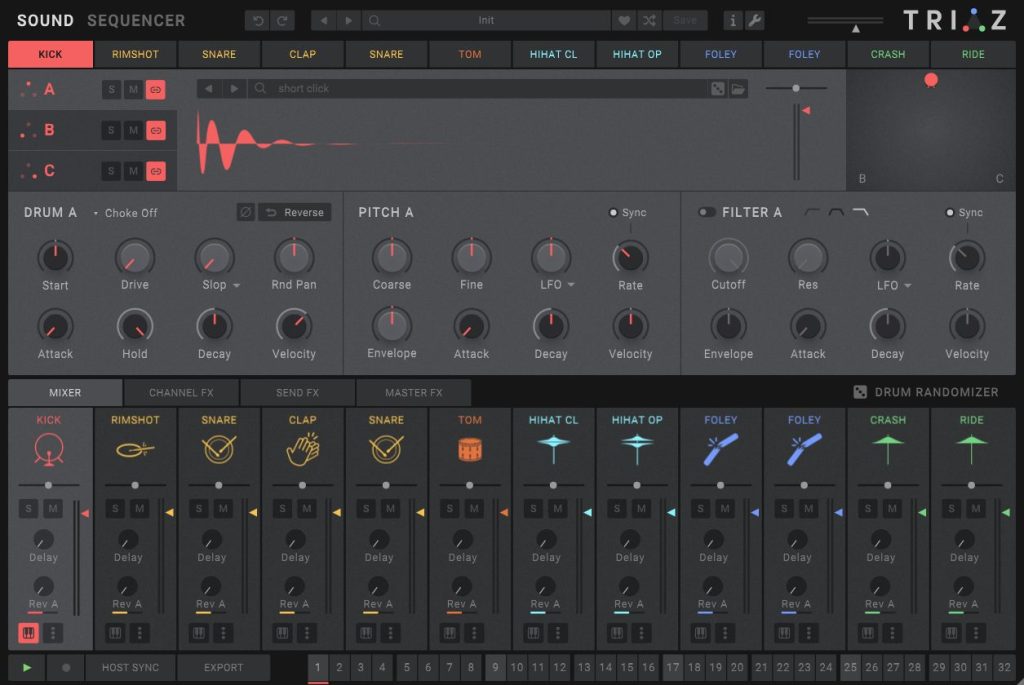
Triaz is one of the best electronic drum sampler I tried, so I was quite hyped when they recently released a free version. It comes with tons of very good modern sounds. Its main limitation compared to paid version (not being able to change individual samples of a preset) make it unfortunately quite unflexible (almost deal breaker, cause loading different instances of the plugin to handle different parts of a custom kit slow down the workflow). Yet it is still quite fun to play with, especially for people entering electronic music scene, cause browsing the kits presets is just fun.
The pro version has a tons of samples and could definitely be considered for upgrade, and is often on sales.
Pros:
- Scalable UI
- Very good sound
- Lots of content (4000 sounds)
- Good preset browsing (200 included)
Cons:
- Sound Browser is disabled, you can’t change individual sounds of a preset kit
Generic Samplers
Generic samplers are plugins which allows you to trigger sound files (samples) via MIDI, very easily. They can import sounds you made by yourself, or some you downloaded from sample packs (free or paid). They often doesn’t come with built-in sounds. (Note: samplers from the section above often allows to load custom sounds as well).
Contrary to the section above, the idea in these samplers is to be more basic and focus on the sampling itself, meaning they don’t come with patterns sequences and arrangement tools.
REAPER native plugin: ReaEQ
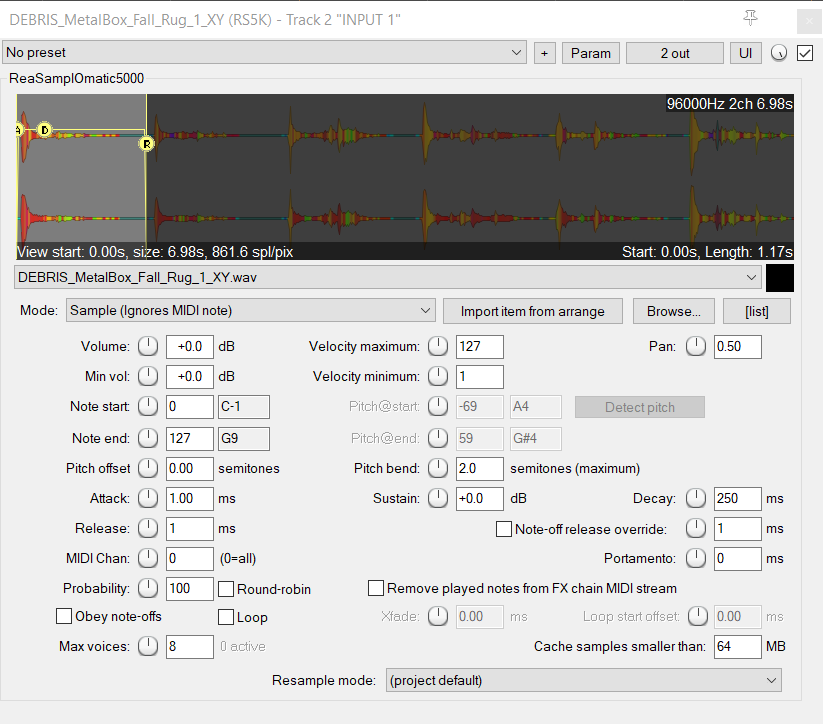
Best commercial alternatives
- TAL Audio – TAL Sampler: sampler with a lot features
- Helgoboss – Playtime: very advanced session view and clip launcher, made by one of the most talented dev of REAPER community
Apisonic Audio – Speedrum Lite
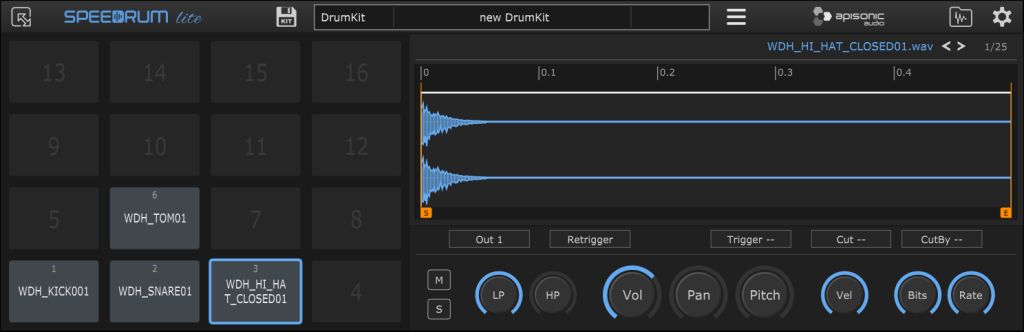
Contrary to native REAPER sampler, Speedrum Lite allows you to load multiple samples from one single instance, which is quite handy to make a drum kit quickly.
If you want more advanced sampling, the pro version definitely worth a look!
Pros:
- Multi-pads samples (in a 4×4 layout, which fit most finger drumming devices)
- Nice UI
- Very simple to use
Cons:
- Some limitations in the way you can relink samples which isn’t handy for collaborative work (lack of recursive search, one popup for each missing files etc). These are only in the pro version.
- Development is probably stopped (dev is focused on pro version)
- Not scalable via mouse (only via menu)
TX16Wx
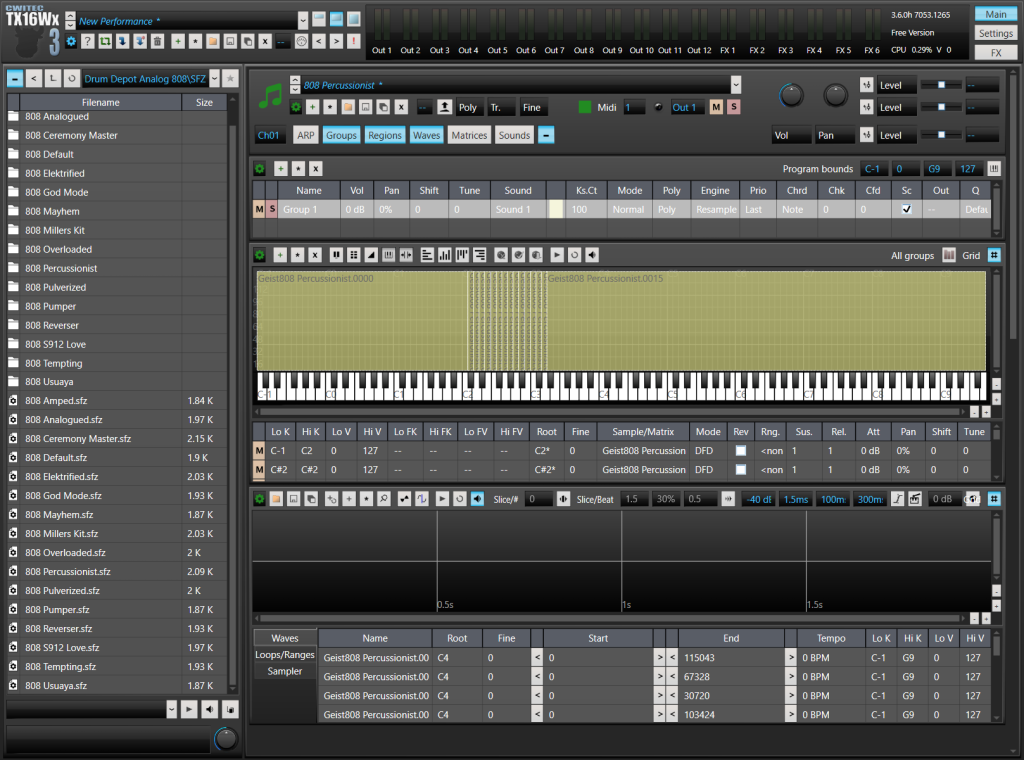
This is a complex free sampler, with lots of features, including the possibility to have multiple layers of samples (for velocity or round robin), modulations, filters, FX, split audio at transient etc…
It can also be used as a Soundfount – SFZ instrument player, a simple and popular virtual format for sample based instruments. SFZ instruments libraries are a bit spread out all other the internet, but you will find some from time to time in your virtual instrument quests. There are also some website which reference them, like this web page (among others). (Note: they are other SFZ samplers, the most used one surely being the free and straightforward Plogue Sforanzo).
Pros:
- Can open SFZ instruments
- Multi-velocity layers sampling
- Can split audio into multiple sections
- Piano map
- Various FX
Cons:
- Can be complex
- Name is hard to remember
BOBONA – JustASample
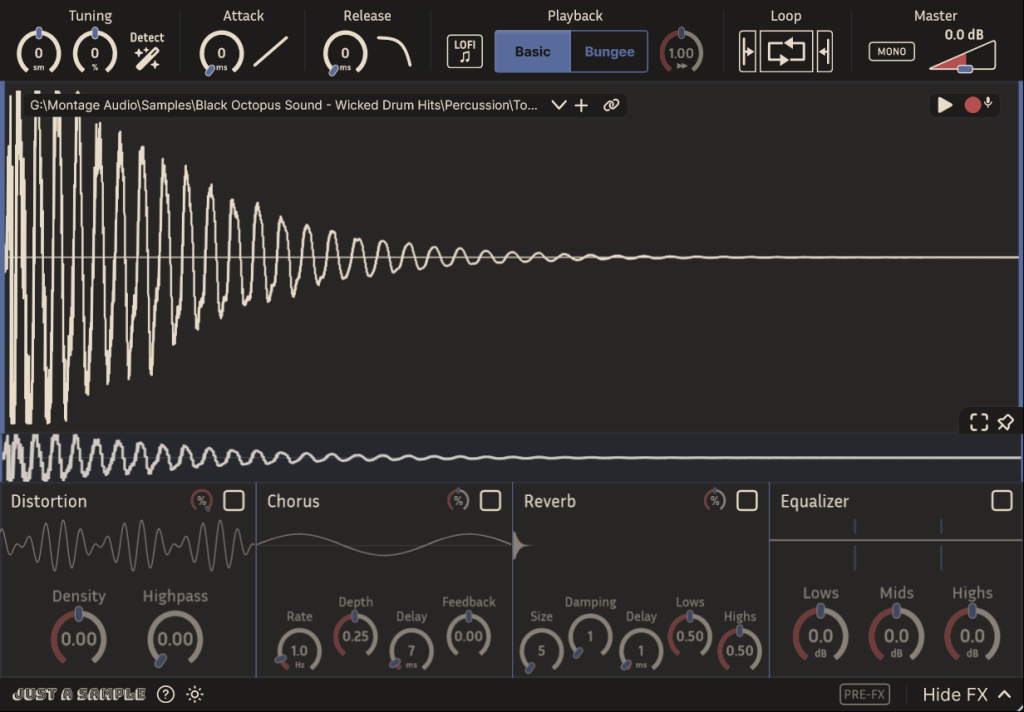
JustASample is a very nice brand new free open source one-shot sampler.
Pros:
- Freely scalable UI
- Simple
- Light and Dark themes
- Open source
- FX (distortion, chorus, reverb, equalizer)
- Some extra features just for REAPER (like its accessibility by ReaScripts)
Cons:
- Some important parameters are not (yet?) in the GUI, like MIDI note range
- Name (this is highly subjective)
Acoustic Drums
This section is about regular drum kits, as the ones which can be found in a lot of popular music genre, like rock, metal, folk, jazz etc… They aims to sound natural and realistic, as if they were played by a real drummer in a room, as they are made from recordings of real drums in a room.
Such plugins often feature the same main components, like a MIDI mapping panel, a multi-out routing mode to output sounds of individual parts of the kits (kick, snare…) to different tracks of your DAW, the ability to load other (often paid) drumkits from the manufacturer and a dedicated mixer.
Honorable free alternatives
- Powerdrumkit – MTPowerDrumkit: Extremely simple to use and download one-kit VST drum. It has been online since more than 10 years, and like a lot of people, it was my default drum kit for years, so I’m kinda tired to hear it. This highly subjective reason is the only reason why it is not showcased here. Yet, it does deserve its own paragraph for all its good services!
Best commercial alternatives
- Toontrack – EZDrummer 3: Great balance between features, simplicity, good sounds, CPU efficiency, file sizes and kit diversity.
- XLN Audio – Addictive Drums 2
- All pro versions of plugins showcased below.
inMusic – BFD player
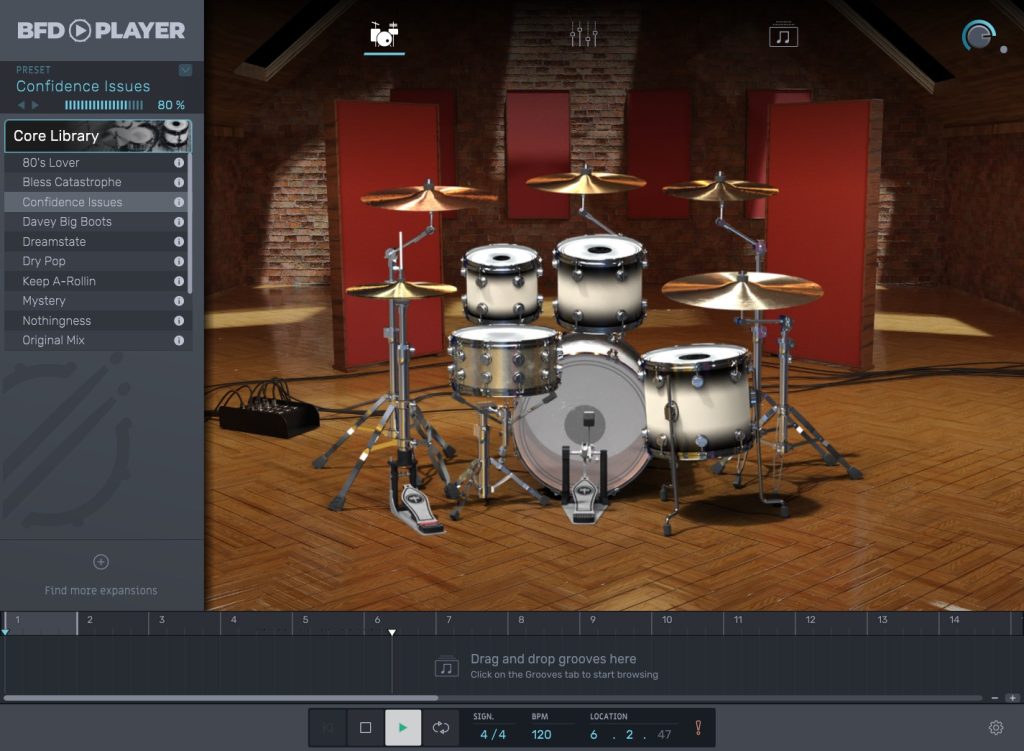
This is the most recent free drum kit plugin of the list, from late 2023. It’s the only one to bring several good sounding kits for free.
It can fulled with other drumkits from BFD, sometimes at a very affordable price.
Pros:
- Several drum kits / mix presets out of the box
- Simple features
- Ready to use presets
Cons:
- Need email
- Some presets name could have been more informative
IK Multimedia – MODO Drum CS
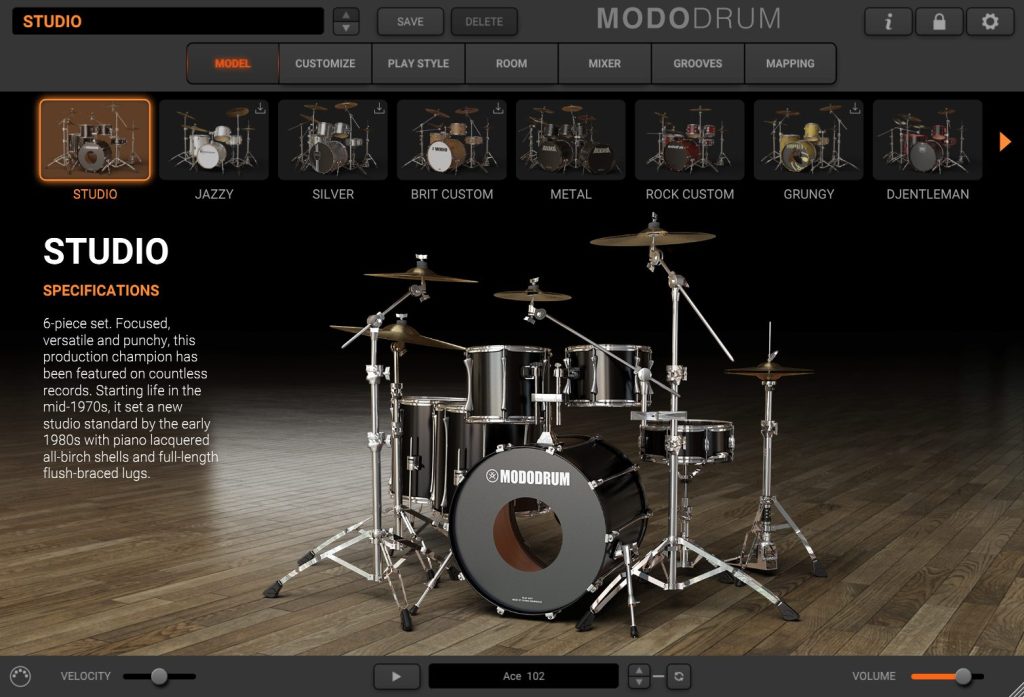
MODO Drum CS is the free version of MODO Drum. It has the same features, but only one drum kit. If you want to upgrade, it goes on sales quite often.
Pros:
- Very good sound for a free drum kit
- A lot of features (adjust shells, room etc)
Cons:
- Need IK account
- IK downloader is often buggy
- Heavy on disk
ML Soundlab – ML Drums Free
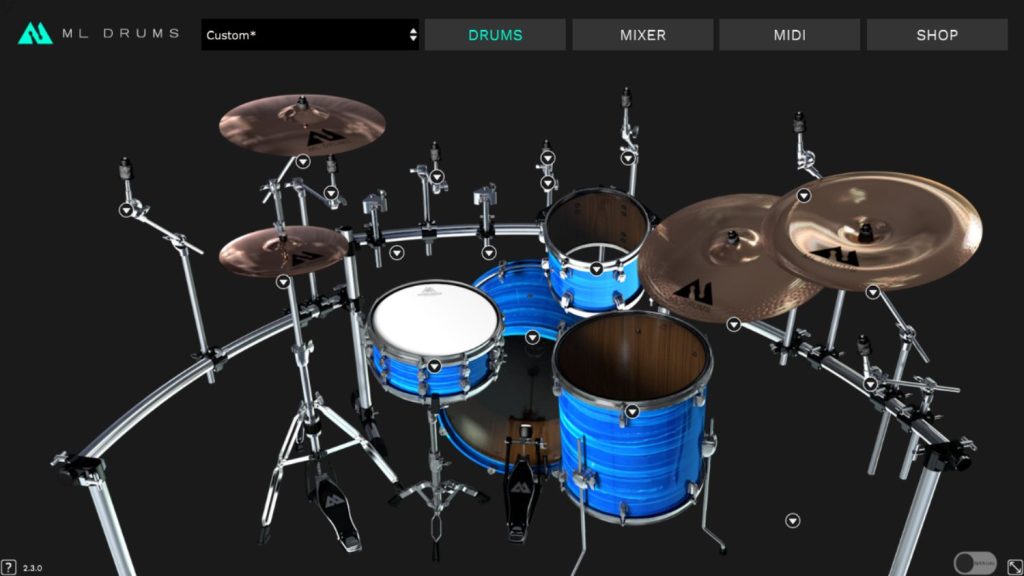
This plugin is a simple drum kit, meant for metal in particular.
Other drum kits can be bought on ML Soundlab website.
Pros:
- Good sounding kit
- Simple features
Cons:
- Scalable UI, but only 3 possible values to cycle through
- May not fit every genre
Steven Slate Drums – SSD 5
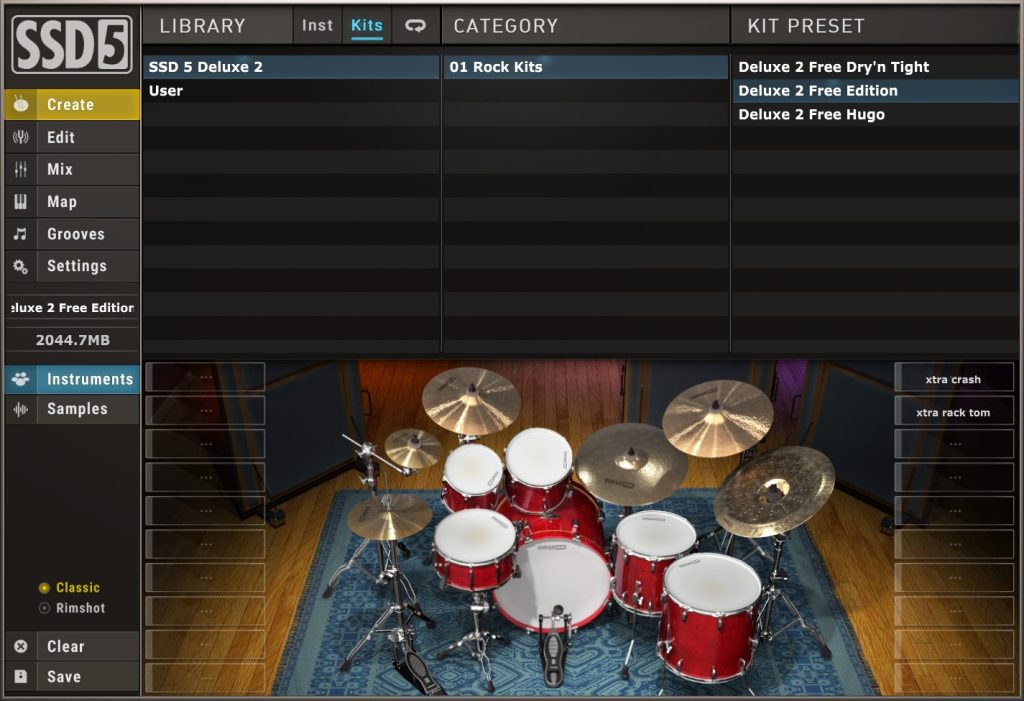
This one is around since years, but it is still one of the best sounding free drum.
Pros:
- Good sounding kit
- Can fit various genre
Cons:
- Need account and custom downloader
- UI is a bit outdated
- UI scaling is only available in the settings panel (which is slow to access)
Pianos
Pianos are among the most common virtual instruments. They is indeed a lot of types of pianos, like grand / upgright, regular / prepared / felt / detuned, old / recent etc…
A lot of them are available for free. You can se some you can find in Instruments Packs, or some you can find online (mostly as Kontakt instruments, but it can be for another sampler), and if you are still not satisfied, you can consider a VSTi dedicated to piano.
Honorable free alternatives
Best commercial alternatives
- XLN Audio – Addictive Keys
- Toontrack – EZKeys 2
- Modartt – Pianoteq: the most advanced modelisation-based virtual piano
Sound Magic – Neo Piano
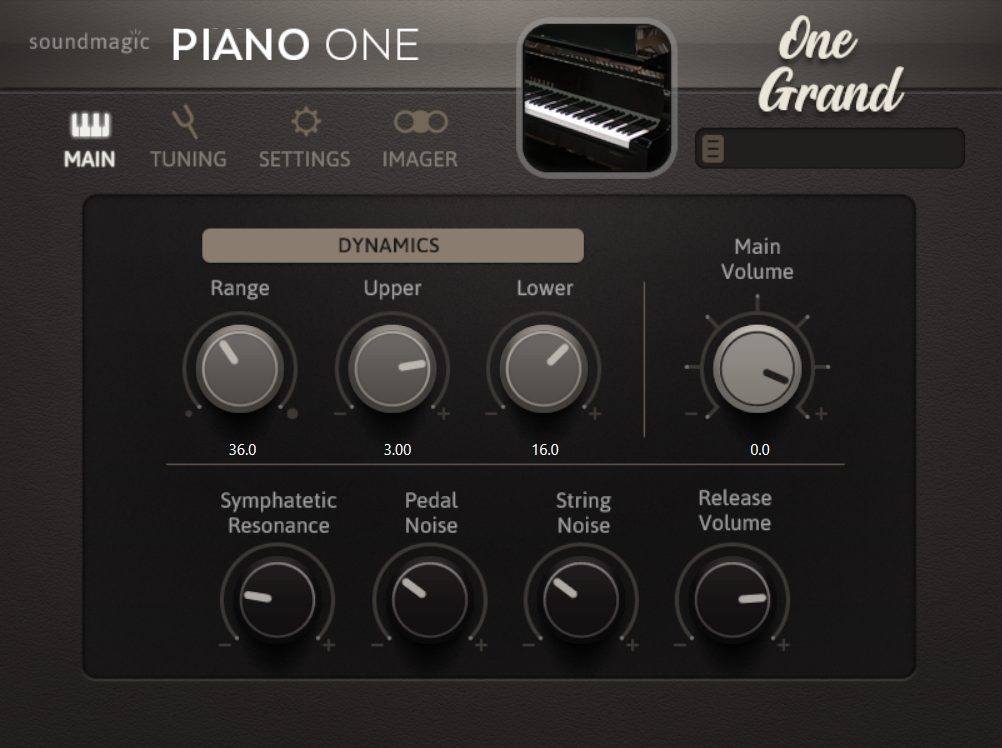
This simple to use piano plugin is based a Yamaha C7 grand piano. The free versions has only few limitations compared to the pro one, nothing deal-breaking. It just got updated a month ago, and this new version promises to be one of the best free piano out there, for general usage.
Pros:
- Self-packed Piano (do not need external downloaders or samplers)
- Lot of features, including some for spatialization
- Good sound overall
Cons:
- Need email for download
- Non-scalable UI!
- No piano view
Heavocity – Foundations Piano
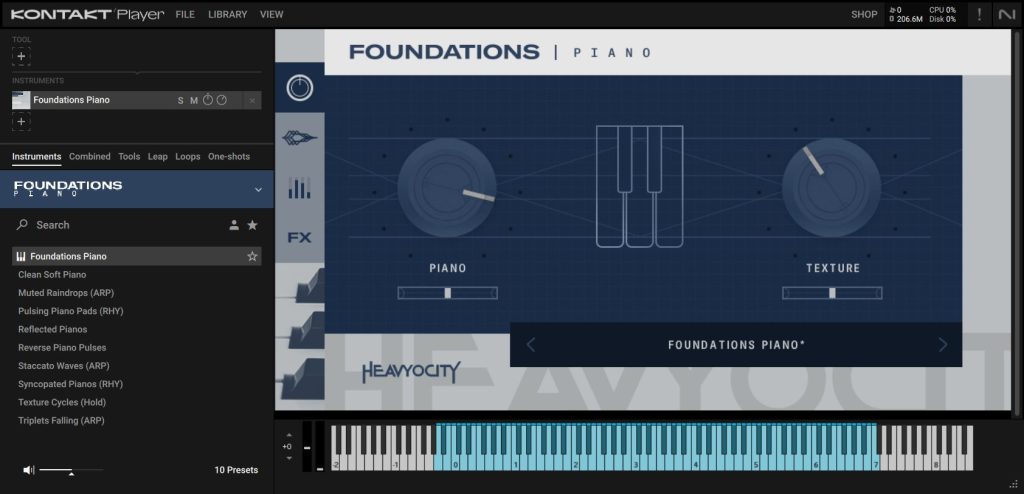
Fondations is a collection of free instruments made by Heavocity. Among these, there is one very good cinematic grand piano, for Kontakt Player. It is perfect for ambient / felt piano, what we can call “emotive” soft piano.
Pros:
- Excellent sound quality
- Various built-in FX
Cons:
- Installation process was a bit complex (need user account, purchase, download installer and samples from there, register serial in Native Access, then load Kontakt to load ot)
Bass
Electric Bass is an essential instruments in lot of music genre, so having a virtual one can be necessary for composition, especially if you don’t have a real one to play with (they are indeed less widespread than electric guitars, this is why I didn’t made a selection for them).
IK MUltimedia – MODO Bass CS
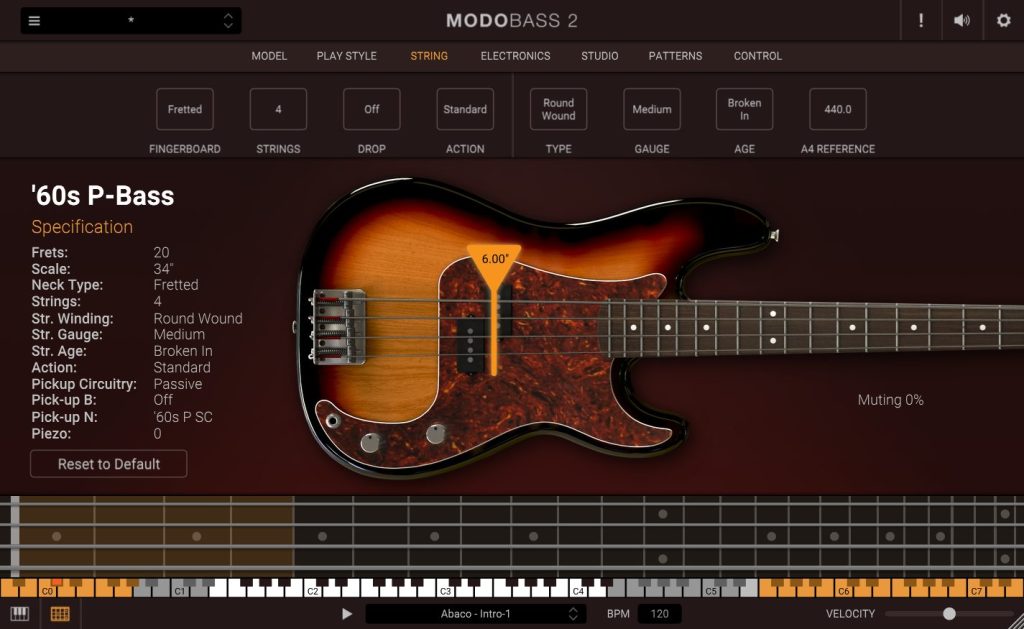
MODO Bass CS is the free version of MODO Bass. It only offers one bass, but one which can fit various genres. It also contains a lot of features and can go quite low, so it is pretty polyvalent.
If you plan to upgrade it to have more bass, keep in mind it goes on sales often.
Pros:
- Go as deep as drop low A (and can have a 6th string)
- 3 play styles (finger, slap, pick)
- Lots of features to adjust the sound
Cons:
- Need IK account
- IK downloader is often buggy
Ample Sound – Ample Bass P Lite
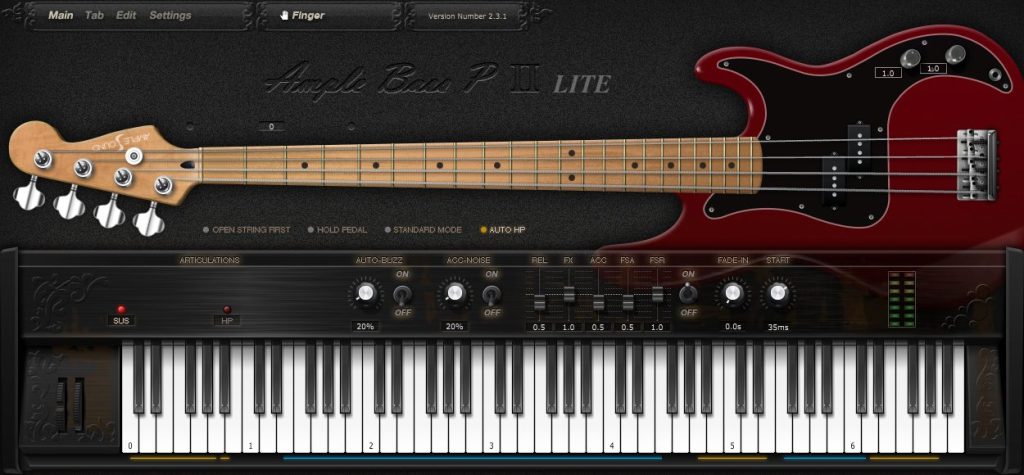
This virtual bass is based on a Fender Precision Bass, and sounds pretty good. Useful if you need a good bass with standard tuning.
Pros:
- Simple to use
- One-click download for the installer
Cons:
- Non-scalable UI (and texts are a bit small)
- Not updated since years
Orchestral
Orchestral virtual instruments are probably among the most complex to elaborate, as having an orchestra at disposal to record requires a certain investment. Fortunately, companies specialized in this area shares various good sounding free solutions, which can help you start your composer journey, or just add some orchestral layers and textures in your arrangements.
They are a lot of single /solo orchestral instrument libraries, especially in Kontakt format, or for other sampler listed above. But I will rather showcase virtual instruments which aims to emulate full orchestras by sections. It will allow you to see some of top manufacturers of this field, and give you and idea for where to find other or more sophisticated orchestral stuffs.
As expected, all these free virtual instruments cons will be that they are less detailed / realistic or have less articulations / play styles than more powerful paid one, so I will not mark this as a con. The fact that they are selected here already means they are good enough for regular usage.
Honorable free alternatives
- Sonokinetic – Tutti Free: This orchestral instruments is all about textures and hits, which can be very nice to add extra life to a track, but you will probably not make an orchestral piece just from it.
- VSL – Big Bang Orchestra Free Basics: Powerful tutti orchestra
- Impact Soundworks – Orchestral Hit System: Orchestral hits to use in various genre
- Heavocity – Foundations: Several high quality Kontakt based instruments, mostly orchestral
- Fracture Sounds – Blueprint Collection: Another set of free high quality Kontakt instrument
- Audio Imperia – Glade: Brand new free orchestra (late 2025) with 19 cinematic instruments (meaning, it doesn’t sounds exactly like a traditional orchestra, it will fit trailers and games better)
- ProjectSAM – Lineage Percison Free: Fresh new (2026) orchestral percussion Kontakt instrument
Spitfire Audio – BBC Symphony Orchestra Discover
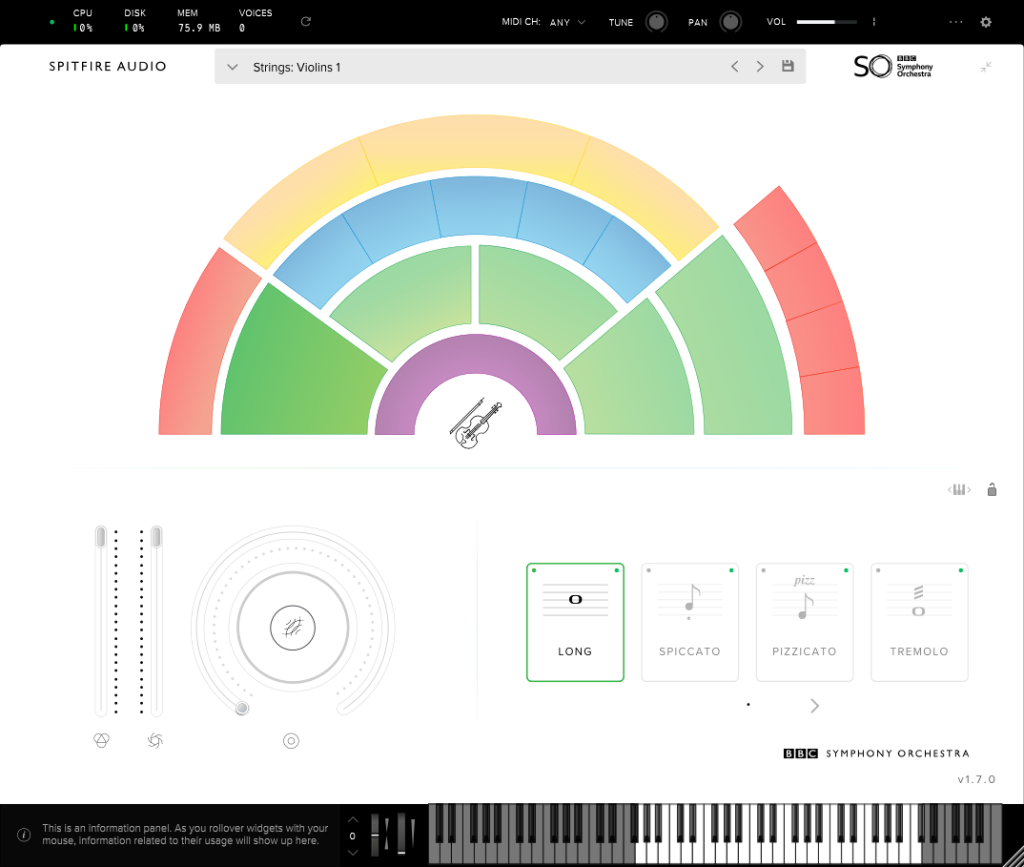
Nice and simple to use orchestral instrument, with all the different sections, and various articulations for each ones. The orchestra visualization is especially handy and pedagogic, which is a very nice way to start your orchestration journey.
Pros:
- Simple to use
- Various articulations per sections
Spitifire Audio – SSO: Discover
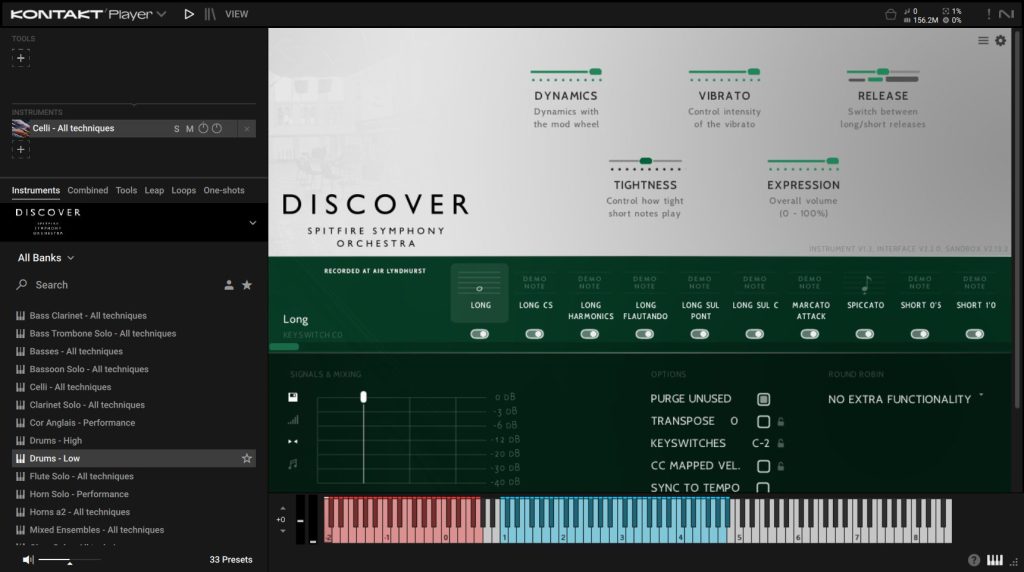
Brand new (late 2025) orchestral library for Kontakt, meant for beginners in orchestral composition. It come with 44 high quality instruments, so it can be considered as a more advanced starter kit than Spitfire Audio BBC SSO kit showcased just above. It is a subset of the paid SSO library.
Pros:
- 44 instruments
- Various articulation
- Top quality
- Tutorials to start orchestration, using this library in particular
Cons:
- Purchase and installation process is complex (and currently a bit buggy), with some unexpected steps (having to subscribe to newsletter to unlock the Add to Cart button)
- Some instruments limitations of this free version are a bit frustrating (limited range for solo violin for eg)
Orchestra Tools – Berlin Free Orchestra & Layers
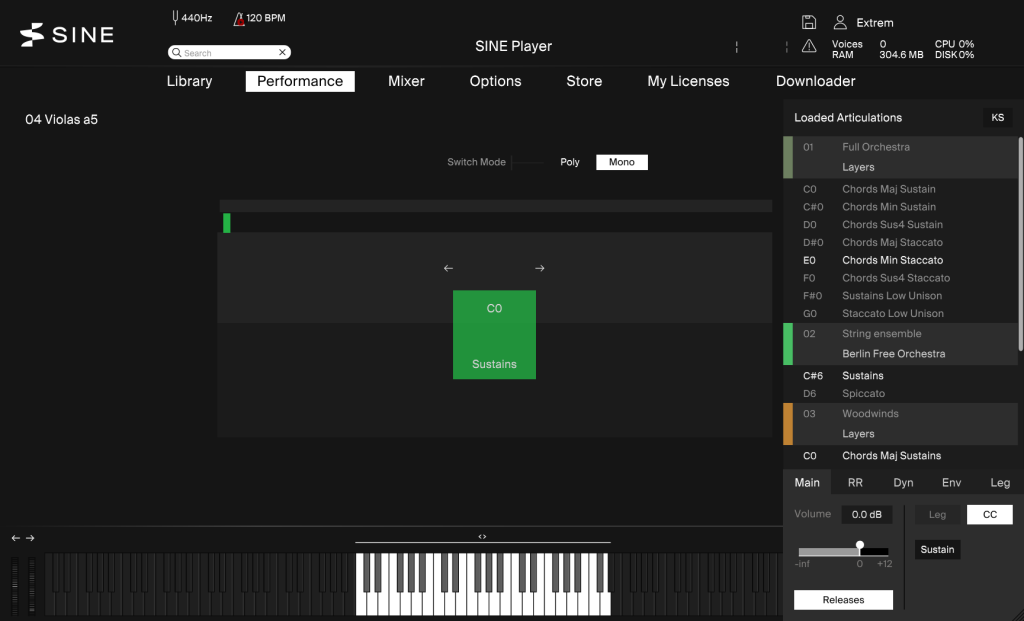
Orchestral tools offers two very good free orchestral libraries for their SINEPlayer sampler: Berlin Free Orchestra and Layers. Berlin Free Orchestra has just been released, and it do sounds very good for a free library.
Pros:
- Very good sound quality
- Lot of content
- Lots of articulations
- Sections and solo instruments
Cons:
- UI could be a bit more informative about the loaded instrument
ProjectSAM – The Free Orchestra 1 & 2
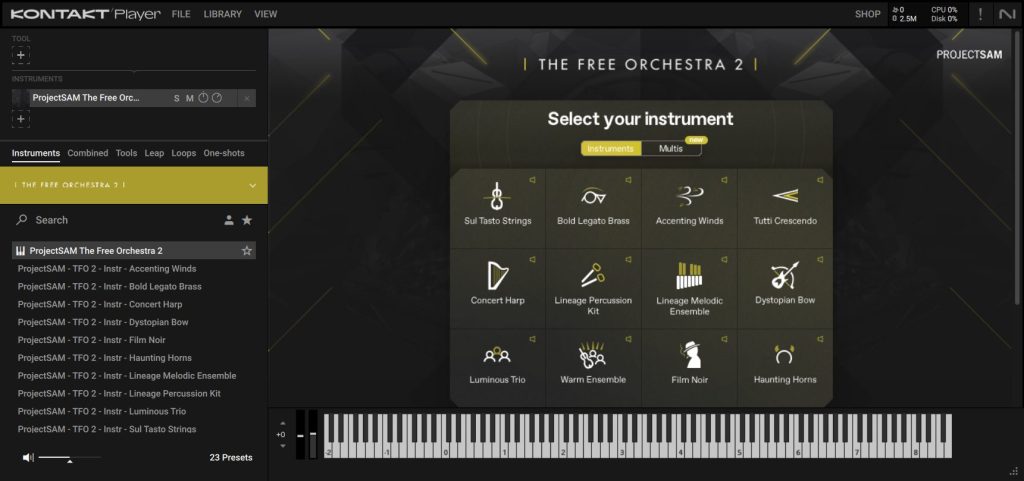
ProjectSAM offers two free orchestral libraries for Kontakt, under the name The Free Orchestra. The sections are not organized as in other libraries, they are typical good sounding textures, and some good sound effects (especially in the second opus).
Pros:
- UI layout is very good
- The all-in-one Kontakt instrument which allows you to navigate all sounds rather than using Kontakt library browser
- Nice presets system (named by style)
- Cool sound effects and textures
- Various controls for each instrument
Cons:
- Limitations of Kontakt (UI doesn’t upscale well)
- Less articulations than other orchestral libraries
Impact Soundworks – Palette: Primary Colors
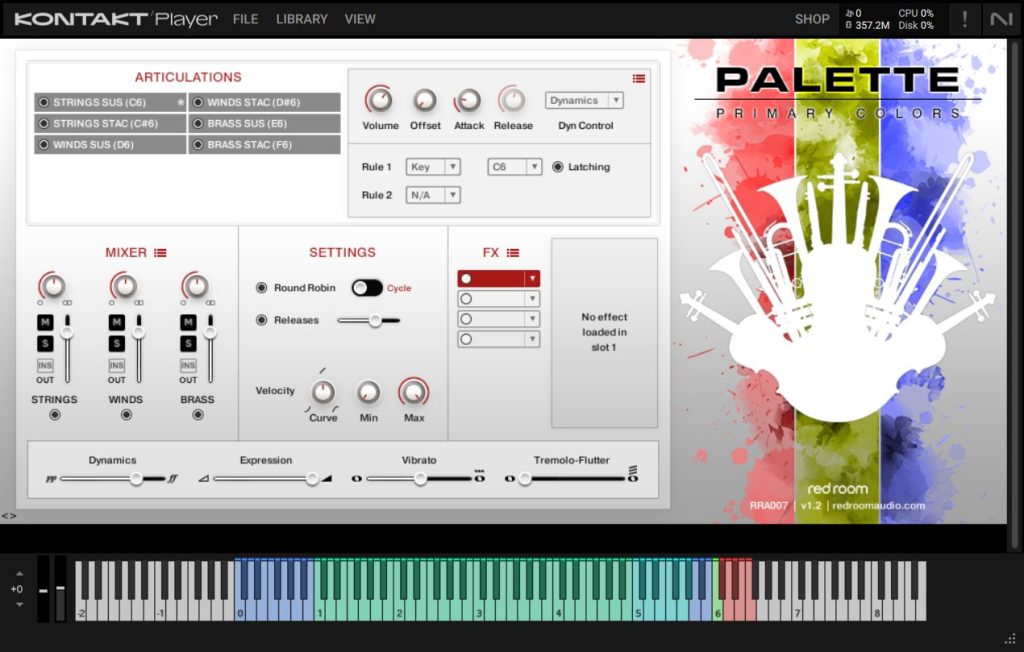
This Kontakt instrument is a good freebie which is around for a bit longer than the other one mentioned here, yet it is still good to have cause it is simple to use and sounds nice. It features three sections of the orchestra (strings, winds, brass) with two articulations for each (sustain and staccato). This is good for adding textures, but it is definitely not the most advanced orchestral freebie showcased here.
Pros:
- Simple to use
- Lightweight
Cons:
- Limitations of Kontakt (UI doesn’t upscale well)
- Limited sets of articulations and sections compared to some other free libraries
Synthesizers
Last but not least: synths!
Synths is definitely the most diverse categories of virtual instruments. On more than 804 referenced entries on KVR, almost 600 are free. They cover all types of synthesis (substractive, additive, FM, granular…) and all kind of purpose (general, subs, 8-bits…). Some are meant to emulate a particular hardware units, and some are more proudly digital. Some are made by popular companies and lot of them by individual developers. They are plenty of choice!
Though, if you are very strict about UI requirements (which I am) and tech specs, you can narrow the list down drastically. UI isn’t secondary when talking about synths, cause with sometimes more than 100 knobs to be displayed, the layout and colors have to be done right. And lot of free synths are bit old (meaning that their UI is small or don’t scale well), unmaintained, or have accessibility flows (there can be some UI disaster). Yet, some of them are really good and rival paid ones for sure.
In the following list, I will focus on general purpose synths, no matter their synth process.
Honorable free alternatives
- Surge XT: This open source synth has a lot features, and is very well maintained. It’s probably one of the most popular free synth. Though, I found it’s UI a bit difficult to read, especially for beginners.
- Newfangled Audio – Pendulate: This synth use a special kind of synthesis (so-called “chaotic synthesis”). It produces very good sound, especially if you are interested into huge distorted bass. It is very well done, but it is surely a bit too specific to match every project.
- asb2m10 – dexed: Free open source FM synth based inspired by the Yamaha DX7. UI is old school and doesn’t scale freely, but the project is still actively maintained.
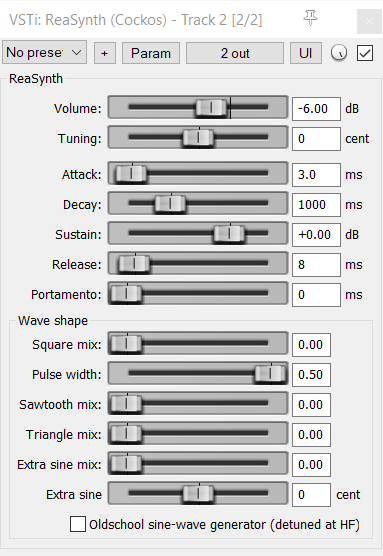
REAPER native plugin: ReaSynth
Best commercial alternatives
TAL Software – TAL-NOISEMAKER
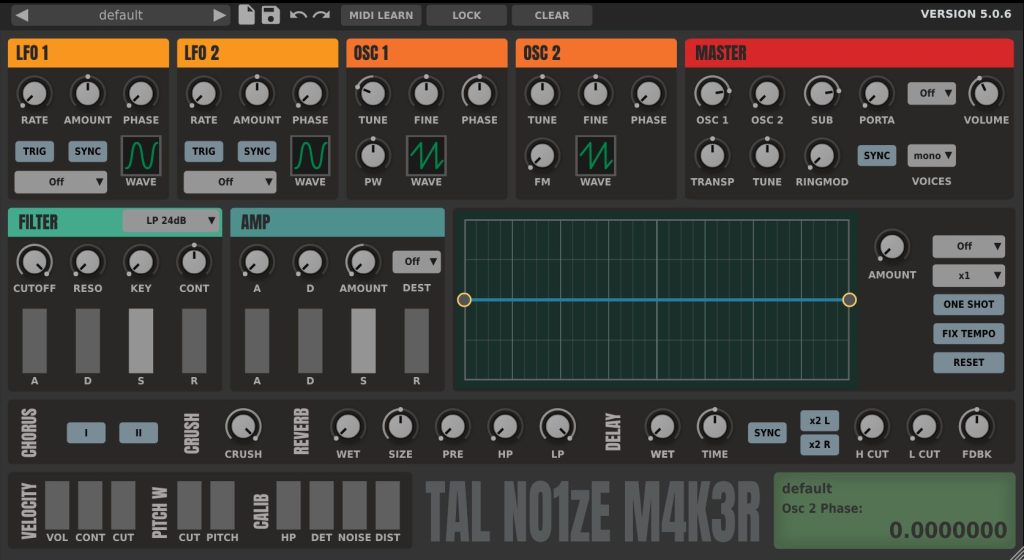
Must-have. TAL-NOISEMAKER may not be the most advanced synth, but it does all the basics so well that it is surely one of the best virtual synth to use, for both beginners and more advanced users looking for a quick and simple synth patch.
Pros:
- Freely scalable UI
- Very good ergonomic
- All essential features
- Nice presets selection
- One-click download and install
- CPU efficient
Vital Audio – Vital
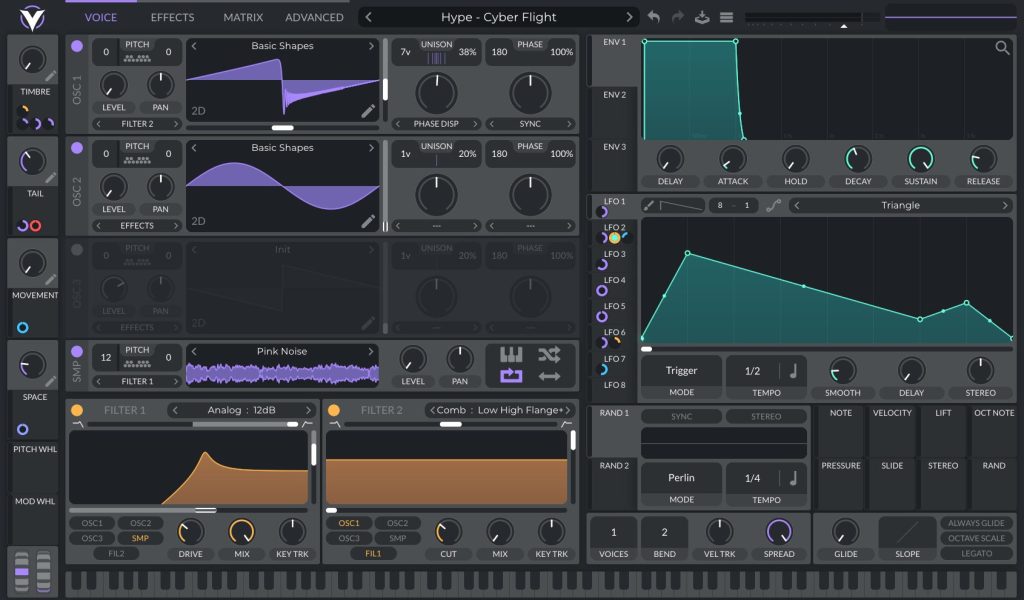
When Vital came out few years ago, it took the free synth community by storm. A scalable synth with top UI, very advanced features, and good modern sounds, all this at commercial level but open-source… Matt Tyrel, the person behind Vital, could definitely be considered as one of the most talented free synth developer out there.
Vital became popular instantly, so you will find a lot of tutorials and presets for it online, for every kind of musical genre. Buying the paid version is a good way to support the dev, and to have even more built-in presets.
Pros:
- Can rival top commercial plugins
- Good preset systems (with categories, search filters, author names, favorites etc)
- Rich ecosystem (lot of people are sharing Vital presets, free or paid)
- Lot of features and modulation possibilities
- Excellent ergonomics
- Sounds very modern
- Open-source (though not sure the actual version on GitHub is the last one)
Cons:
- Development and communication from the dev are on indefinite halt (no news from the dev on Vital forum since 2 years), and people were expecting enhancements here and there. But I can see that Matt do have some recent activities on one of his other GitHub repo which is somehow related to the UI work he made for Vital, so maybe there is hope to see Vital continue to evolve – Anyway, I personnaly didn’t face any particular issue with it which could be considered as a bug.
- CPU usage is a bit high (but if you render tracks, this may not be too much of an issue)
- Need an account for download (it’s actually not too much of a con, as it allows to sync your presets from the VSTi)
u-he – Zebralette 3
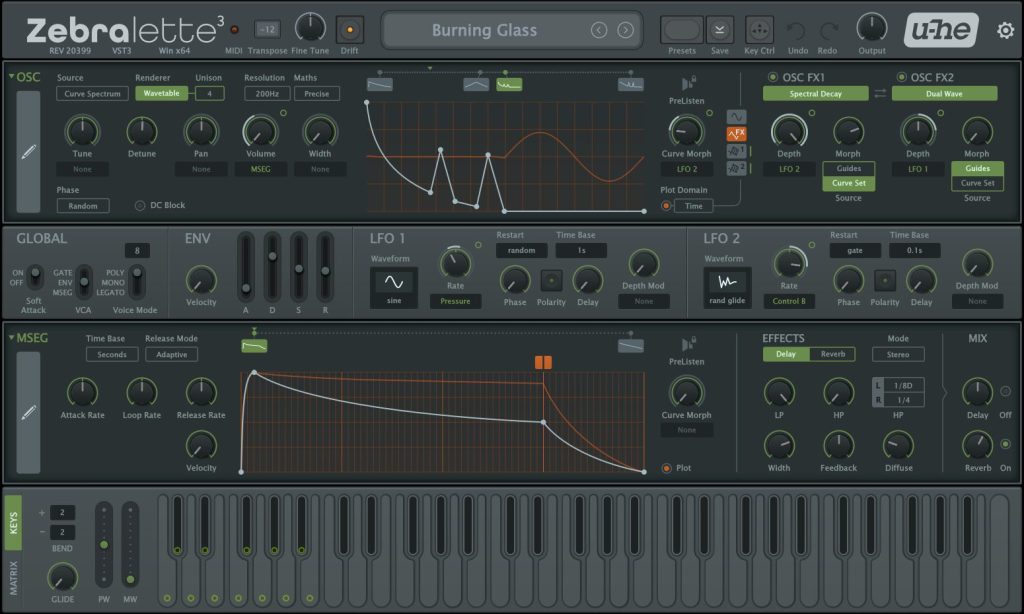
Zebralette 3 is the brand new (December 2025) version of Zebralette synth by a famous virtual synth manufacturer, u-he. Zebralette (previous version) iwas freeware synth which has been here for about 15 years already, so it is nice to have an updated version of it. Zebralette 3 features a lot of modulation possibilities (LFO, Matrix, MSEG etc…) and FX, which compensate the fact it only has one oscillator (more oscillators will be in their upcoming Zebra 3 plugin, Zebralette being a like an unlimited demo of it). Also, you can draw the waveform right in the GUI thanks to an advanced curve editing system, which is pretty nice! u-he also have other free synth of their product page, including the previous version of this synth, but if you have to choose one, it will definitely be this one, as it is the most modern.
Pros:
- Scalable UI
- Lots of modulation possible
- Lots of built-in presets
- Good features set
- One-click download
Cons:
- Only one oscillator
HY-Plugins – HY-Poly free
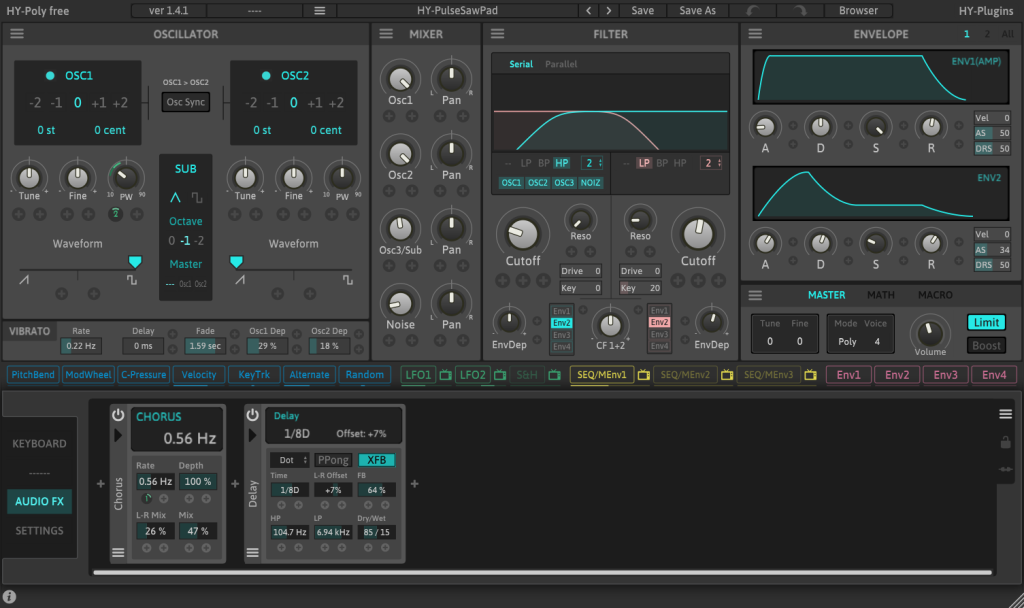
HY-Poly Free is the free version of HY-Poly. It only has one oscillator, 4 maximum voices, and 5 audio effects unit, but it can be just enough for some leads and bassline.
Pros:
- Freely scalable UI
- Ergonomic UI
- Good feature sets
- Dark and Light themes
Cons:
- Only 17 presets free version, which is IMHO way too small, especially for beginners, who would be more enclined to start with another synth with more ready made sounds
- Not a lot of third-parties free presets
- Maybe a bit limited even for a free synth (at least one more oscillator would be welcome)
nakst’s Audio Plugins
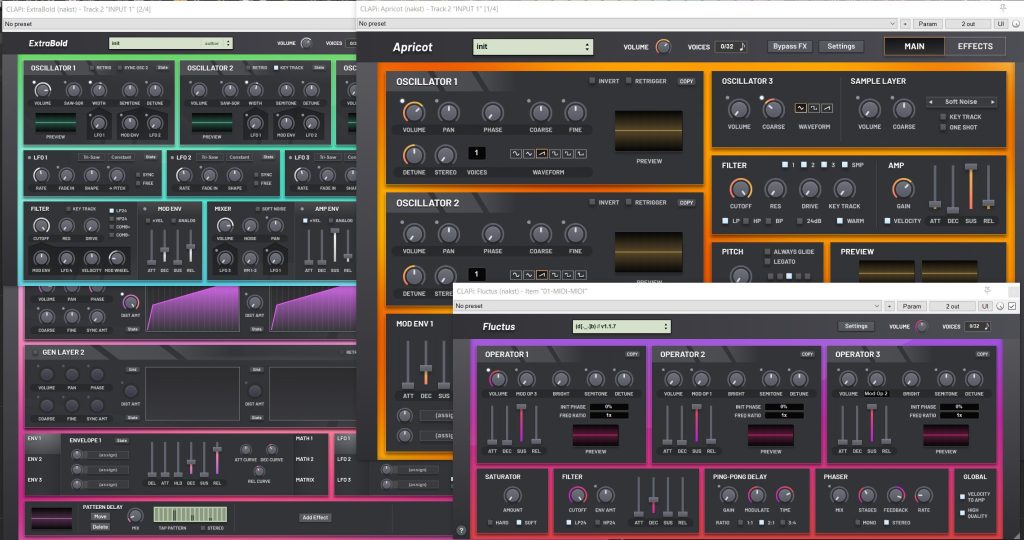
Nakst is an independent synth dev, which is offering 4 synths for free! They are each built around a specific concept (FM synthesis for Fluctus, hybrid synthesis for massive sound for Apricot, multi-tiered phase distortion for Regency, and basic subtractive synth for ExtraBold).
I haven’t really took time to explore Nakst synths as they are relatively recent, but they surely deserve a place here. There UI may not be top of the game, but they are clearly among the best for free plugins anyway, as they are perfectly readable (and sound good).
These plugins are actually not in VST format but in CLAP, a recent plugin format alternative made by u-he and Bitwig, and which is already supported in REAPER.
Pros:
- 4 free synths
- Scalable UI
- Good readable UI
- Lot of built-in presets
- Good for beginners (as they are not bloated with features)
- One-click download for the installer
- Themable
Cons:
- Some modules could benefit from more fancier GUI (like filters which could be displayed as spectrogram, or envelopes which could be displayed as curves). This could reduce the amount of knobs in the UI and feel just a bit less intimidating.
Going Further
Need more virtual instruments? From dedicated VSTi, to Kontakt instuments or other sampler libraries, you have now access to a whole new world of sound!
I encourage you to take a look at these plugins manufacturers website, because if a company makes a great plugin, there is a high chance it has other nice stuffs to propose (free or paid). Buying a paid product to these devs would also be the best way to support there work, and allow them to continue sharing stuffs for free!
If you want to find free presets for synths, you can take a look at PresetShare, and if you want soundpacks for samplers (Kontakt and Decent Samplers mostly), you can take a look pianobook. Both websites are collaborative.
To find other free plugins, and follow new releases, check up these websites:
If you think I miss anything very special, you can put them as comment. I also opened a dedicated thread on Cockos Forum.
Don’t forget to update your plugins regularly, to not miss any new enhancements, fixes or features! I personally check updates before any new big projects. Some plugins can have an update notice system, but most free plugins don’t. If they come with a product manager software, update notices will be available here. Else, you can try the KVR Studio Manager software (free and currently in beta version), or just check the plugin manufacturers by your own.
This list took days to elaborate, so once again, please consider supporting my work, thanks!
In the next article, we will surely go through free samples, or MIDI effects, not sure yet. Meanwhile, please share this list to your fellow REAPER users companions, or any other DAW users! ❤️ Stay tuned!